
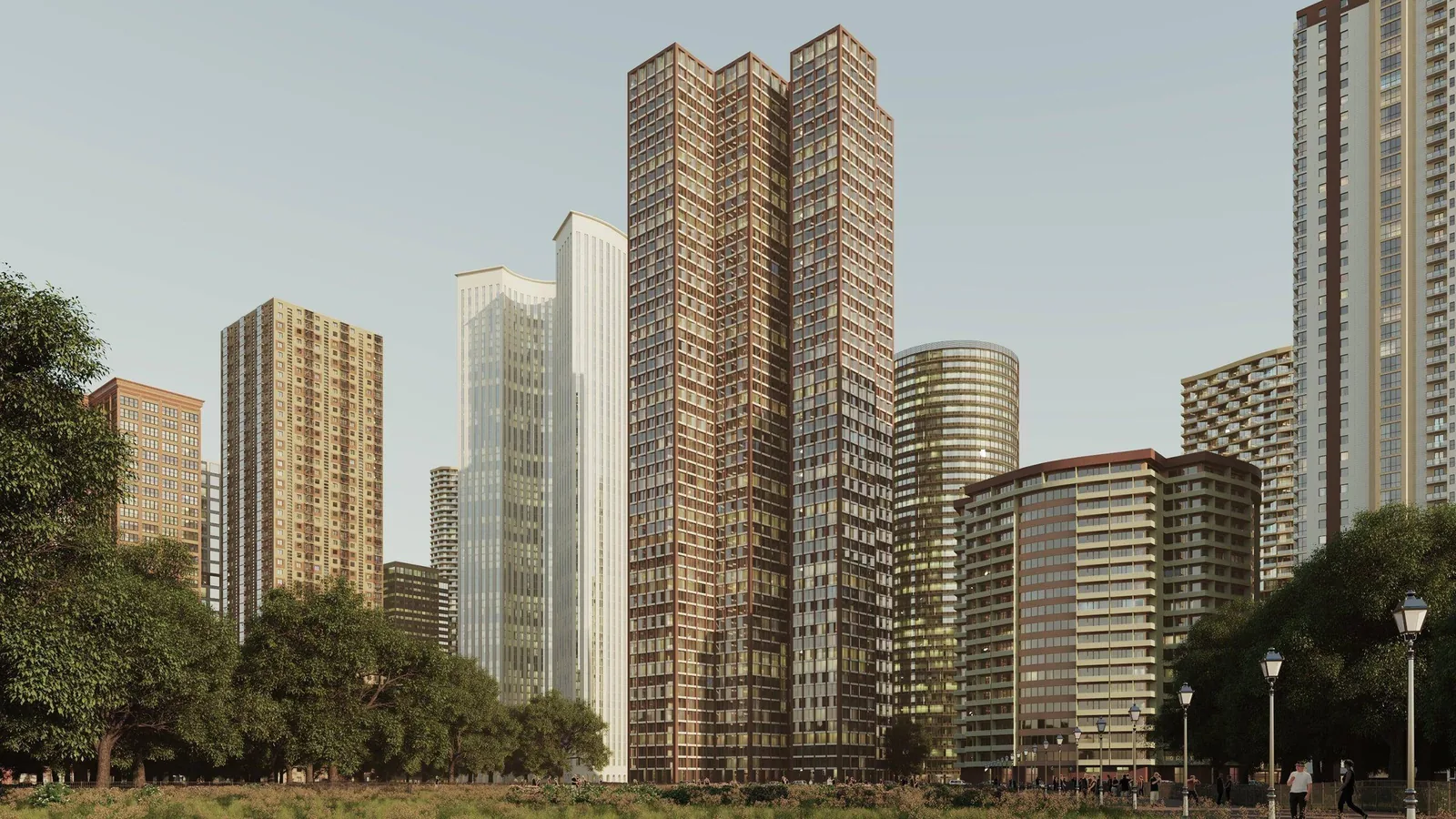
TheParametricLibrary Background Buildings
by iToo Software, Rendering & immersion
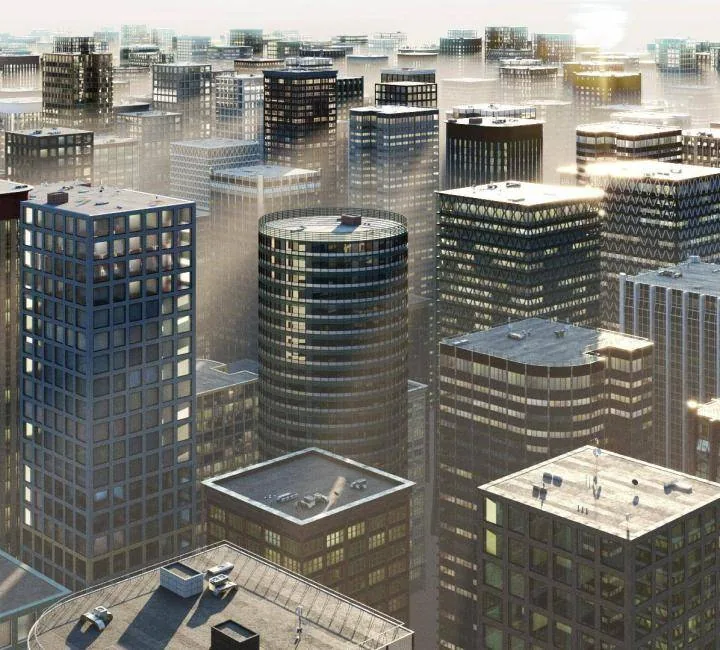
Parametric background buildings for city images with RailClone Pro
Background buildings for city scenes with RailClone Pro
Pick a topic and see how the library fills your images with towers without you modelling each building.
Whole blocks and skylines without modelling by hand
The buildings are made for the middle and back of the frame, where variety, scale and speed matter most.
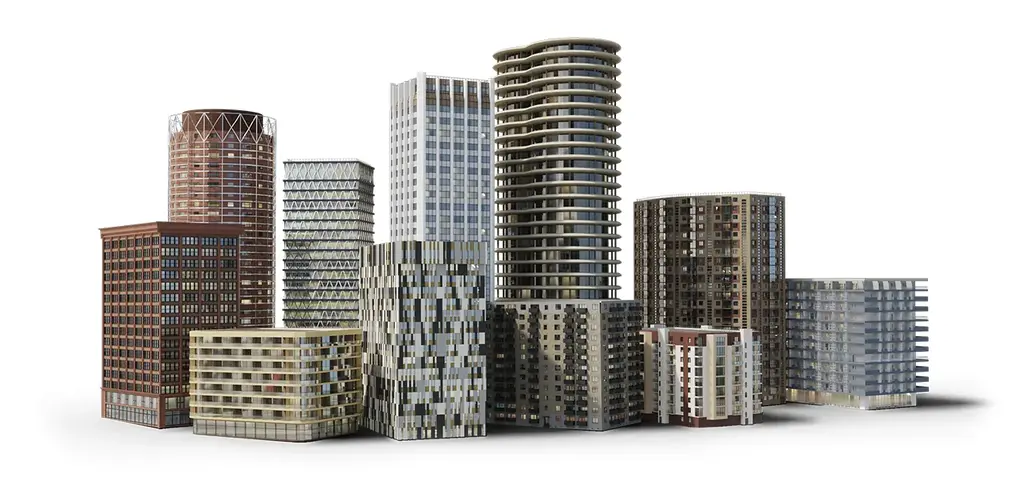
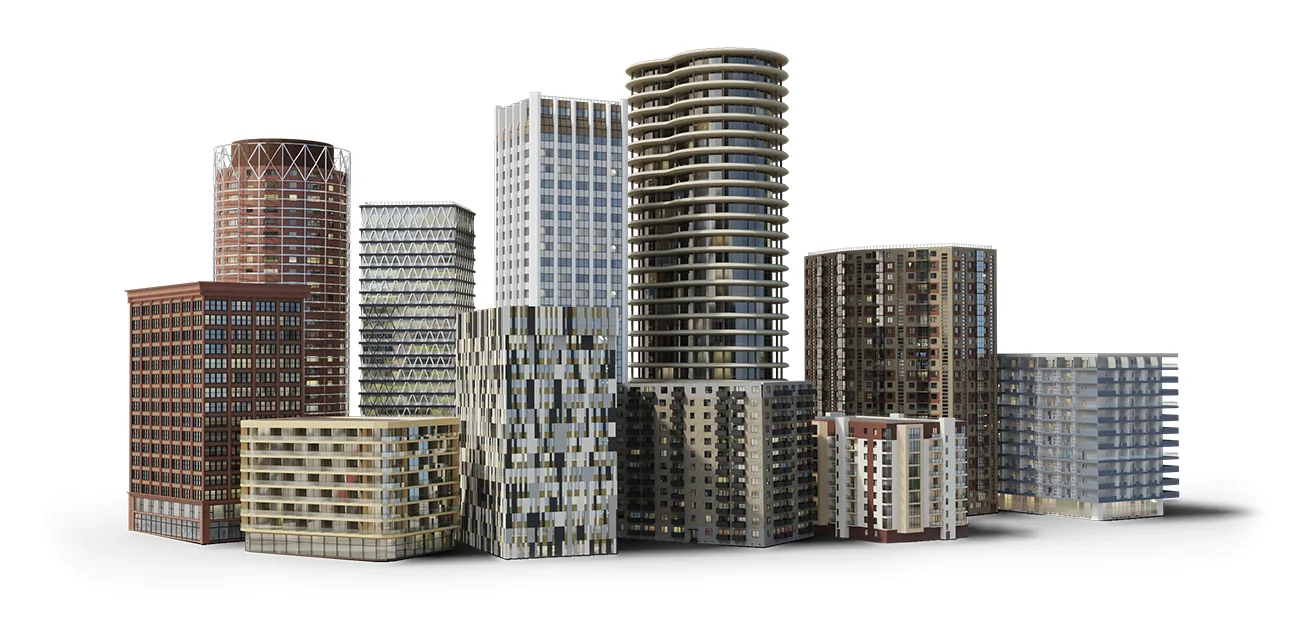
- Office, residential and mixed-use buildings, as parametric towers for RailClone
- Single towers where you want control, and all-in-one presets to fill large areas
- The presets set layout size, spacing, building type, height range and roof details
- Less repetition than with static models that are simply copied
Works with: RailClone Pro 3ds Max


Each building adapts to its footprint, height and facade
The form comes from curves and parameters that you change without opening the graph editor.
- The footprint is defined by curves: straight, angled or curved layouts
- A closed curve gives a complete building, an open one gives just a facade
- The number of storeys is adjustable, with controlled randomness so that heights do not all match
- PBR materials for V-Ray, Corona and Arnold, for facades, frames, glazing, balconies and panels
- The main controls sit in RailClone's Base Objects and Parameters rollouts
Works with: V-Ray Corona Arnold


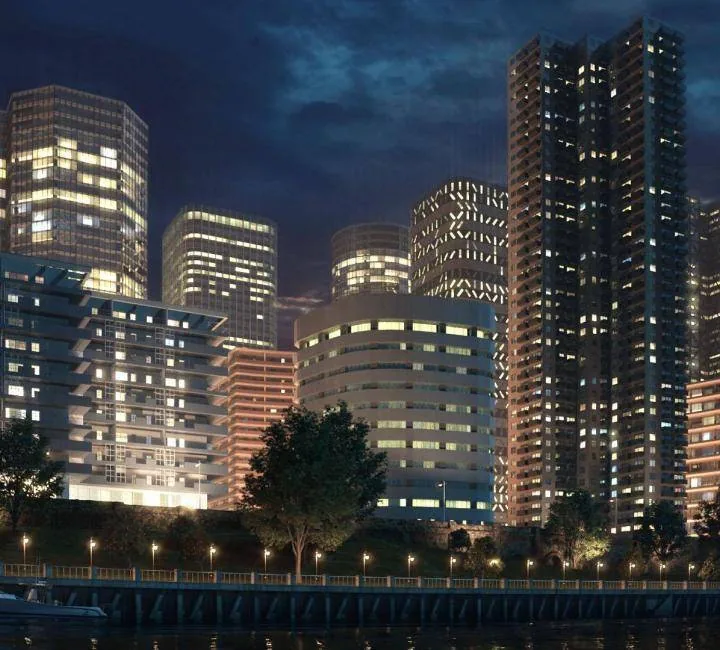
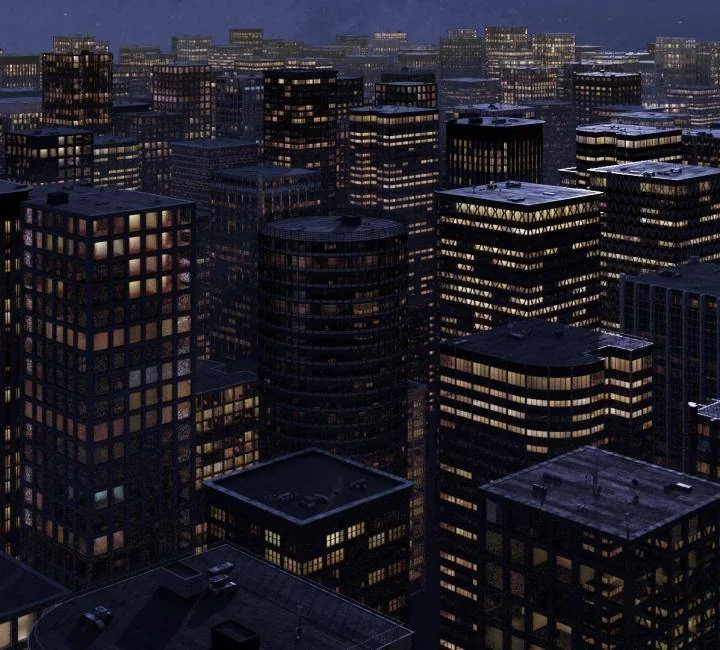
Lit interiors for evening images
The towers have interior lighting, so a city stays convincing when it gets dark.
- Self-illuminated interiors for night renders
- Interior lighting controls and randomisation, which reduce visible repetition across large groups
- Lighting support varies by renderer


See the library in action
The official iToo Software video for the library's buildings.

See it in action
The video or demo loads only when you press play.
What it does, stage by stage
Background Buildings Vol.1 contains 13 parametric towers for 3ds Max and RailClone, with an editable outline (closed curve), height and materials. PBR materials for V-Ray, Corona and Arnold are included, as well as the option of lit interiors for night images. It requires RailClone Pro (4.3 or later) and .max files for 3ds Max 2014 and later. Volume 2 is sold separately.
Survey
It is not its job.
Concept
It is not its job.
Design development
It is not its job. Combine it with Mindesk Suite VR.
Construction drawings
It is not its job.
Presentation
Images, videos and walkthroughs for the client.
Features
Features
- Type
- building library
- Towers per volume
- 13 (Vol.1)
- Materials
- PBR V-Ray, Corona, Arnold
- Requires
- RailClone Pro
System requirements
- 3ds Max 2014 or later and RailClone Pro 4.3 or later (Vol.1 data)
Works well with, and alternatives
Works well with
TheParametricLibrary Background Buildings next to alternatives
Open the full comparisonQuestions, licence and delivery
What do I need for it to work?
RailClone Pro and 3ds Max.
What licence do I get?
A perpetual licence, as stated by iToo Software.
How do I receive the licence?
After payment we order the licence from the manufacturer and email you its details.
Do the prices include VAT?
Prices exclude VAT. With a valid VAT number from another EU country, VAT is not charged; in Belgium it is charged at 21%. For private customers, VAT is calculated at checkout.