
Twinmotion
by Epic Games, Rendering & immersion
Real-time visualisation from BIM and CAD models, for architects and decorators (free for small businesses)
Twinmotion from model to presentation
Pick a topic and see what the program does at each stage of visualisation.
Your model comes straight in, with no preparation
Datasmith Direct Link keeps Twinmotion in sync with your design software, and geometry arrives as it is, even when it is very heavy.
- Changes made in the design software show up in Twinmotion, with group hierarchy, objects and materials intact
- Viewport cameras sync too, for now from the programs shown above
- Data from different sources can go into one shared project, and many file formats are supported, such as FBX, OBJ, glTF, SKP and DXF
- With Nanite you import extremely dense meshes without simplifying them first; in the program you can flip normals, delete or split faces and merge objects
- If you need custom interactions, the project carries on in Unreal Engine without starting over
Works with: Archicad Revit Rhino SketchUp Pro


From instant preview to final image
You light the scene with lamps and HDRI skies and watch the result change as you work; a separate engine produces the final image.
- Several light types, with your own or ready-made IES profiles, and projector lights that cast an image or video onto a surface
- Lumen gives dynamic global illumination and reflections: indirect light adapts when the sun moves or a door opens
- A library of 285 HDRI skies, and you can import your own
- The Path Tracer, one button in the viewport, produces images and panoramas close to offline quality in a few minutes
- Non-realistic styles (plaster, wood, hidden line) are also available, along with ready-made scene templates with lighting and cameras


Materials, people and objects that bring the space to life
The library fills the scene with materials and objects that already move or react.
- Adjustable PBR materials, with dedicated behaviour for foliage, fabric, glass, water and car paint
- Over 10,000 ready-made assets: people and animals, furniture, cars, trees that change with the seasons, and doors that open as you approach
- Built-in access to Quixel Megascans, free Sketchfab assets and Adobe Substance materials
- Paths with pedestrians, cars or bicycles in two clicks, with left- or right-hand traffic
- Paint and scatter tools to place assets with a brush or over selected geometry, with density control


Time, weather, place and motion to tell the story of the project
The project is no longer a still image: you change conditions, show its stages and shoot movement inside the scene.
- Sliders for time of day, season and weather (sun, rain, snow), with clouds that cast shadows and atmospheric fog
- Place the design anywhere in the world, with the correct sun position for each month for shading studies, and surroundings from OpenStreetMap
- A phasing tool shows project progress over time, and view sets keep views with their own lighting
- Sections, keyframed cameras, and animators that open doors, spin wheels or explode the model into parts
- A backplate photo with automatic adjustment of the camera perspective and focal length


Images, video, panoramas and virtual reality
The result leaves in whatever form the client needs, from a still image to an interactive presentation.
- Images and videos up to 8K, panoramas up to 16K, and PNG or EXR sequences
- Up to five render layers for later work in Photoshop or a compositing program
- Sets of up to 100 panoramas with hotspots, which can be uploaded to Twinmotion Cloud, embedded in a web page or opened on a phone through a QR code
- Presentations as a stand-alone executable or on any device with a browser, plus interactive presentations of design variations
- Support for many VR headsets, with controllers and movement between hotspots


What it does, stage by stage
Twinmotion is a real-time visualisation program. It takes the 3D model from the design program and turns it into images, videos, panoramas and interactive presentations, with lighting, nature, weather and people added from a library.
The model is transferred with the Datasmith add-ons. According to the manufacturer’s documentation, Archicad, Revit, Rhino and SketchUp Pro are supported, either with a direct connection (Direct Link) or with a file. This way the designer can work in their own program and update the presentation when the design changes.
At the presentation stage Twinmotion is used for camera movements, videos and virtual reality mode on Windows. Use is free for individuals and small businesses with revenue under 1 million dollars in the last 12 months, as well as for educational institutions and students. For larger businesses a seat is sold per year.
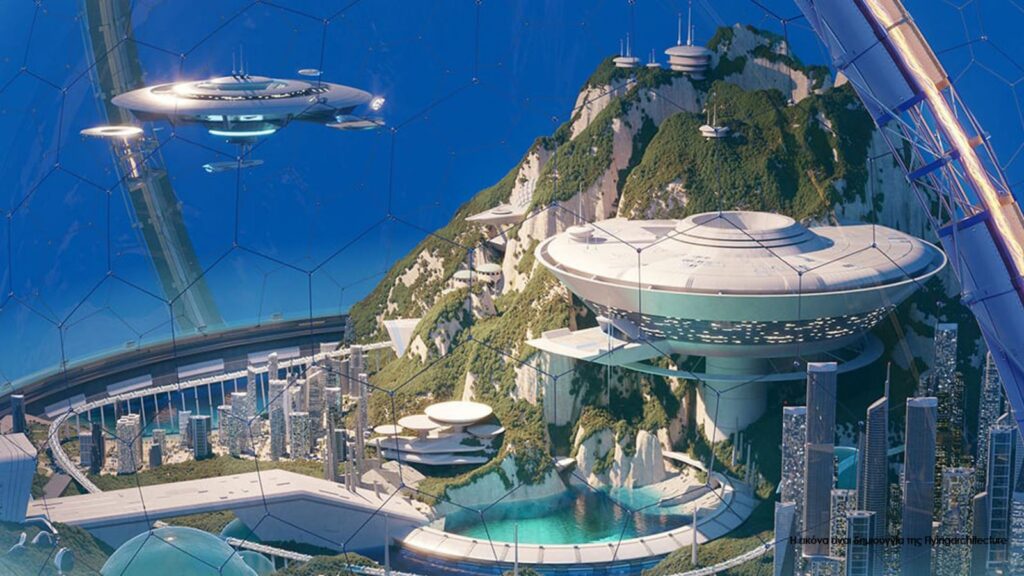
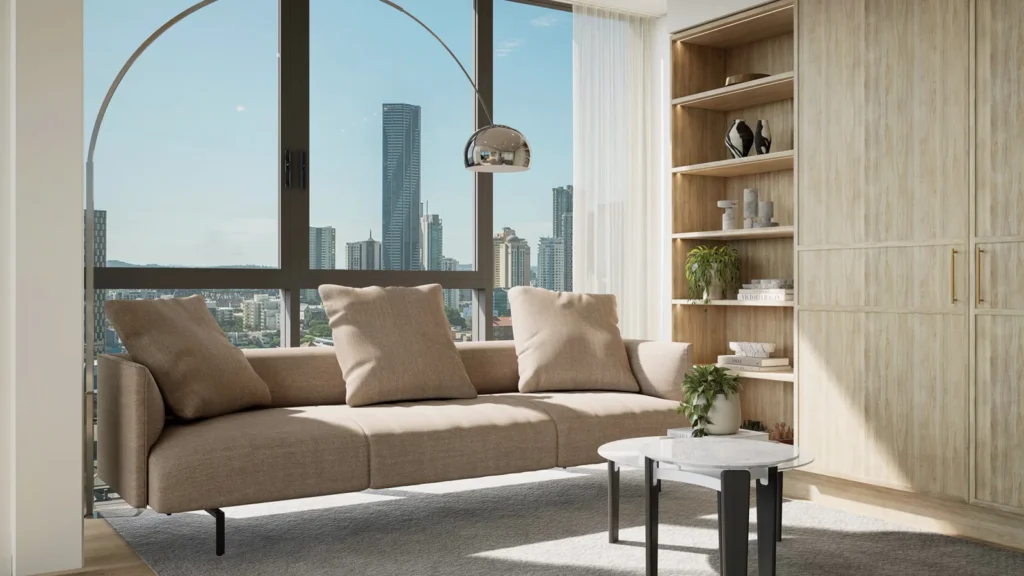
Images from the program
From the official material of Epic Games. Click an image to see it larger.
Features
Features
- Function
- real-time visualisation
- Connects with
- Archicad, Revit, Rhino, SketchUp Pro (Datasmith)
- Output
- images, videos, panoramas, presentations
- Path tracer and Lumen
- Windows (the path tracer not on Mac)
- Virtual reality
- Windows, not on Mac
- Twinmotion Cloud
- in the paid seats
- Free use
- revenue under USD 1 million, education
- Trial
- 30 days (seats)
System requirements
Operating system Windows, macOS
- Windows 10 or 11 64-bit, or macOS Sonoma 14.6.1 and later (a Mac needs Xcode installed)
- Minimum: graphics card with 6 GB VRAM, 16 GB RAM (Mac: 32 GB), 30 GB of free space
- Large projects and VR: 12 GB VRAM, 64 GB RAM
- On Mac the path tracer and virtual reality are not supported
Works well with, and alternatives
Works well with

Twinmotion next to alternatives
Open the full comparisonQuestions, licence and delivery
Is it free?
Yes for individuals and businesses with revenue under USD 1 million in the last 12 months, for educational institutions and for students. Above this limit, or if Twinmotion Cloud is needed, a seat per year is required.
Which programs does it connect with?
With Archicad, Revit, Rhino and SketchUp Pro through the Datasmith add-ons, according to Epic Games documentation.
Does it work on Mac?
Yes, with macOS Sonoma 14.6.1 or later. The path tracer and virtual reality are not supported on Mac.
How does it differ from Enscape?
Twinmotion is a separate program with its own library and presentations, to which the model is transferred. Enscape works inside the design program.
Can I try it?
For the paid seats there is a 30-day trial.
Is training included with the purchase?
The purchase includes free 3-hour training from ELITESOFT, worth 240 €.
How do I receive the licence?
After payment we order the licence from the manufacturer and email you its details.
Do the prices include VAT?
Prices exclude VAT. With a valid VAT number from another EU country, VAT is not charged; in Belgium it is charged at 21%. For private customers, VAT is calculated at checkout.