
SeismoSpect
by Seismosoft, Structural analysis
Personal library of seismic records with batch processing and spectra
Many strong-motion records, one project file
SeismoSpect keeps your own collection of accelerograms in a single file, processes them all together and compares their spectra with a reference spectrum.
Loading, organising and pre-processing the records
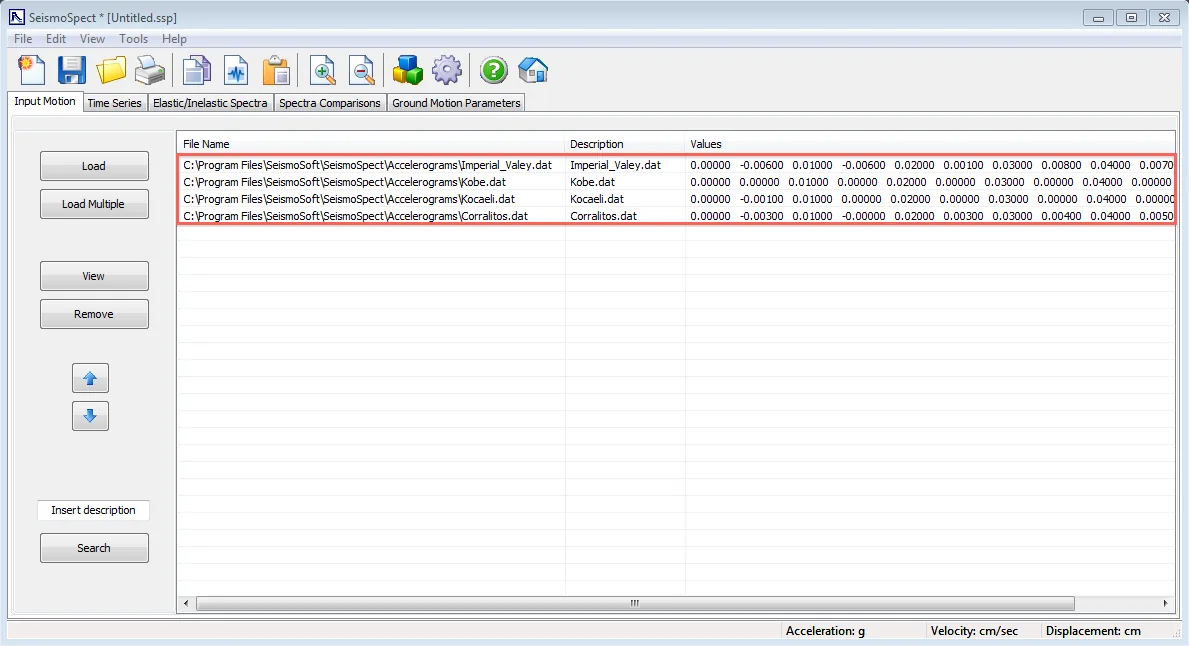
Each accelerogram you open goes into a table showing its file location, description and values, and the whole set is saved as one project that is easy to share.
- Text files with one or several values per line or with time and acceleration pairs can be read, as well as the ESM, SMC, PEER NGA and SHAKE formats.
- Load Multiple opens a whole group of time-acceleration files in one go, and the units can be matched to those of the file.
- Search within large collections, change the order and edit the description of each record.
- Baseline correction with a polynomial of up to third degree.
- Butterworth, Chebyshev and Bessel filters, as lowpass, highpass, bandpass or bandstop, causal or acausal.
Works with: ESM SMC PEER NGA SHAKE (.eq)

The mean spectrum of the collection against a reference spectrum
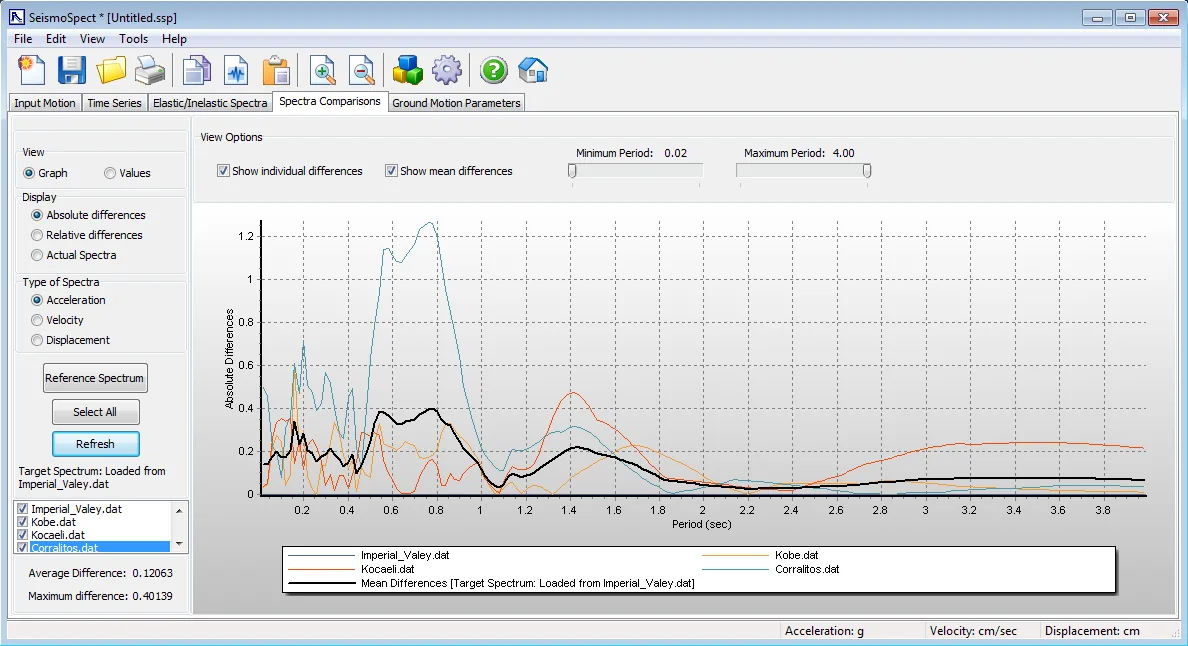
Elastic and inelastic spectra are computed for every record, and their differences from the reference spectrum are shown as a chart or a table.
- Elastic spectra with the damping you set, including overdamped ones, and constant-ductility inelastic spectra based on an elasto-plastic system.
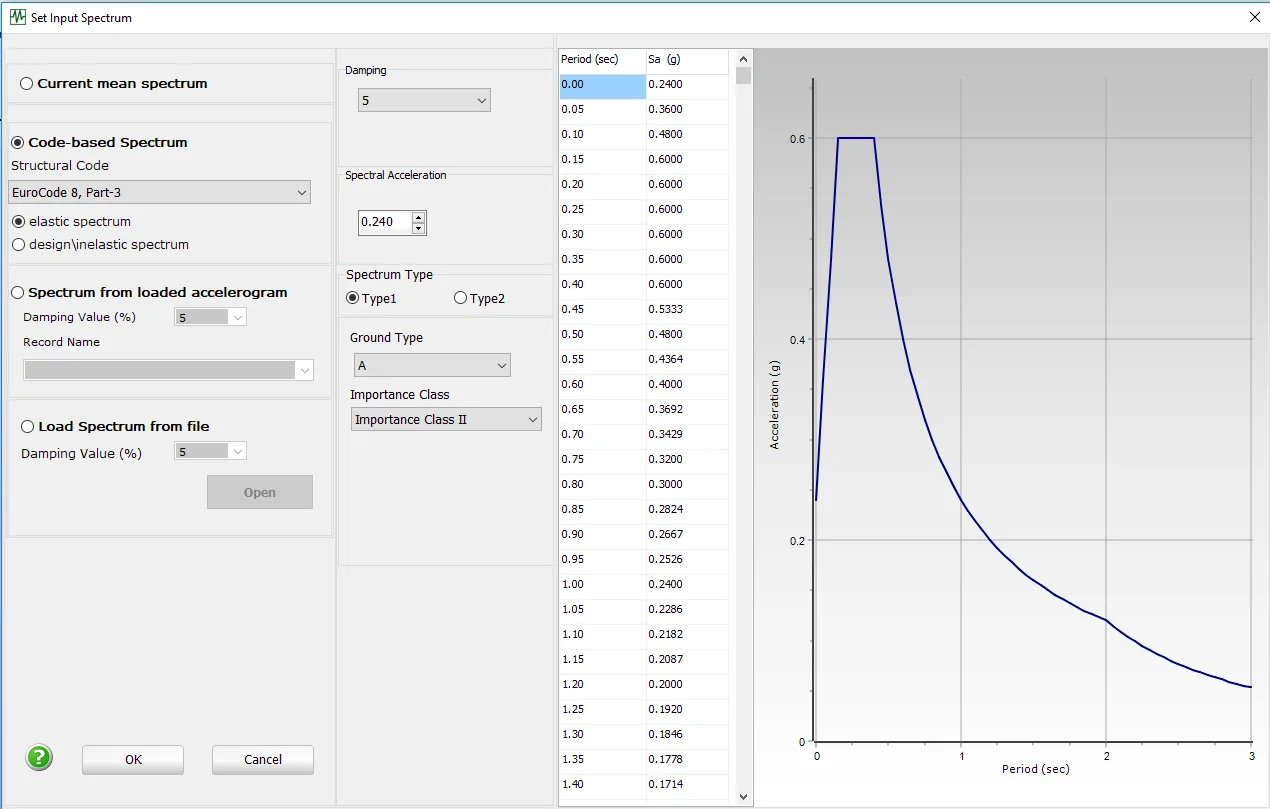
- Reference spectrum: the current mean spectrum, a code spectrum, the spectrum of a loaded record or a spectrum from a two-column text file.
- Code spectra such as Eurocode 8 with its National Annexes, the Greek KANEPE, ASCE 41-17, ASCE 7-16 and NTC-18.
- Comparisons for acceleration, velocity and displacement spectra, with absolute or relative differences over a chosen period range.
- For each combination of records you see the average and the maximum difference, so you can find sets that fit the target spectrum.


Ground motion parameters for all records at once
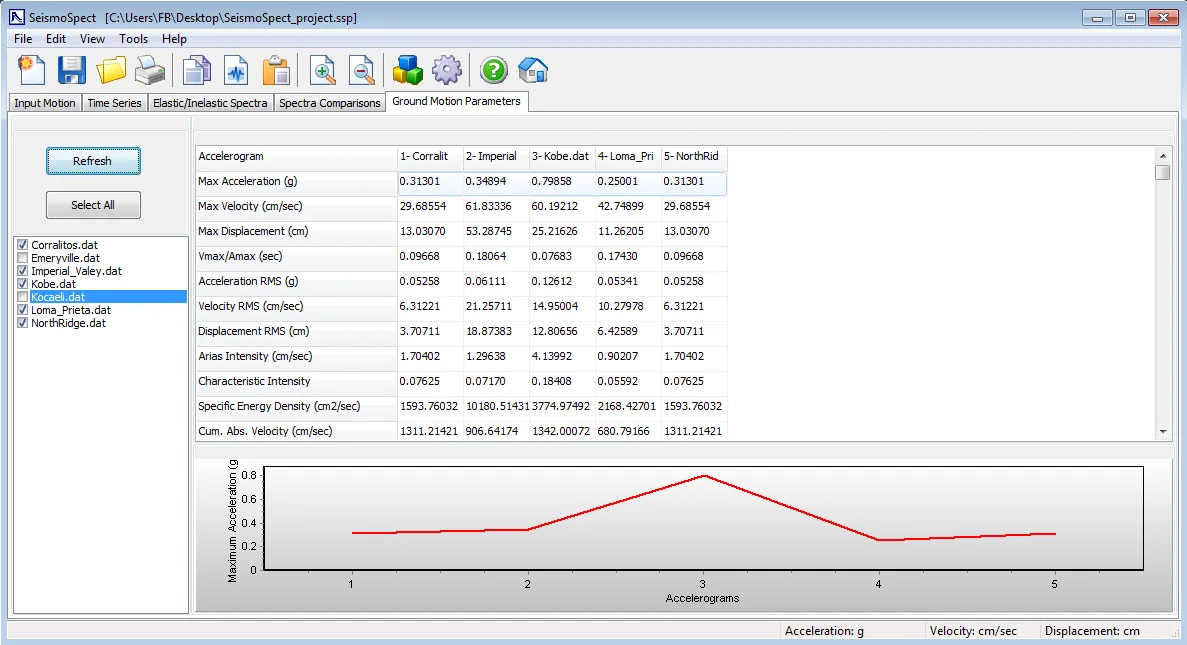
A table lists the parameters of every selected record, and a chart shows the parameter you pick from one record to the next.
- PGA, PGV, PGD, the vmax/amax ratio and RMS values of acceleration, velocity and displacement.
- Arias intensity, characteristic intensity, CAV, SED, ASI, VSI and Housner intensity.
- SMA, SMV, EDA, A95, predominant period and significant duration, with adjustable thresholds.
- Damage index and number of effective cycles using rainflow cycle counting, impulsivity index, MIV and average spectral acceleration.
- Tables and charts can be copied to other Windows applications, such as Excel and Word.
Works with: Excel Word

What it does, stage by stage
SeismoSpect organises a large number of strong motion records in a single project file, with the processing settings (filters, baseline correction) of each record, instead of hundreds of separate text files.
In design it automatically calculates, for the whole library, quantities such as PGA, PGV, Arias intensity and durations, and allows comparisons of spectra. It reads records in single-column or multi-column and time-acceleration formats, as well as files from PEER NGA, SMC and ESM.
Unlike SeismoSignal, which focuses on the detailed processing of one record, SeismoSpect is intended for batches and parametric studies.
Features
Features
- Purpose
- library of records
- Import
- PEER NGA, SMC, ESM, text
- Parameters
- PGA, PGV, Arias, durations
- Processing
- batch
- File
- one project file
- Licences
- computer, USB dongle, network
System requirements
Operating system Windows
- Windows application (integration with the Windows environment, e.g. copying results to Excel and Word)
Works well with, and alternatives
Works well with

SeismoSpect next to alternatives
Open the full comparisonQuestions, licence and delivery
What is the difference from SeismoSignal?
SeismoSignal examines one record in detail. SeismoSpect manages many records in a library, with batch processing.
Which record formats does it read?
Single-column or multi-column and time-acceleration formats, as well as PEER NGA, SMC and ESM files, according to the manufacturer.
What licence is there?
The manufacturer offers a licence tied to one computer, a USB dongle or a network licence.
Is there a trial and an academic licence?
Yes, the manufacturer states a one-month trial version and academic licences for students and researchers.
How do I receive the licence?
After payment we order the licence from the manufacturer and email you its details.
Do the prices include VAT?
Prices exclude VAT. With a valid VAT number from another EU country, VAT is not charged; in Belgium it is charged at 21%. For private customers, VAT is calculated at checkout.