
Quantifier Pro
by mind.sight.studios, SketchUp plug-ins
Take-off of area, volume, length, weight and cost from the SketchUp model
From the SketchUp model to a quantity take-off
Quantifier Pro reads your model and produces quantities and costs, so you don't have to measure them by hand.
Area, length, volume and weight from the model
Quantities come straight from the groups and components of your model.
- Area of walls, slabs, roofs, floors and cladding, both projected and actual surface
- Material report showing the surface area of every material in the model
- Length, width and height of groups and components
- Volume, even for objects that are not closed solids
- Weight, once you set a density on the layer by volume, area or length
Works with: SketchUp

Cost rules that follow the model
You define cost rules and the reports update when the model changes.
- Reusable rules by layer, material, object or the whole model
- A cost inspector tool that shows the calculation for the selected object
- Customisable reports, with units, precision and currency of your choice
- Report export to HTML or CSV
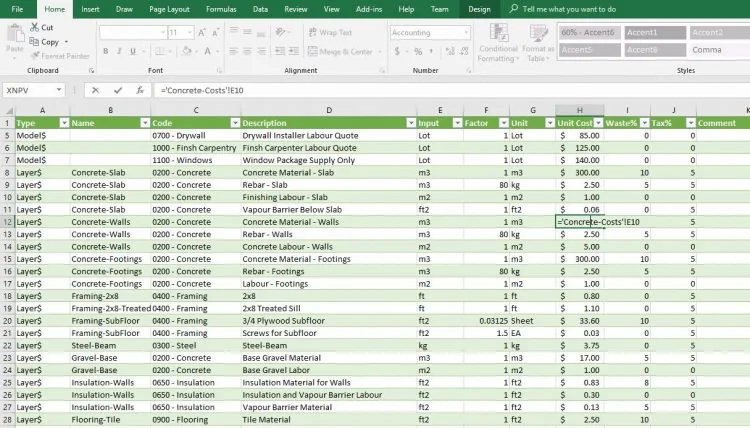
- Cost data import and export with Excel, on Windows only
Works with: HTML CSV Excel

Quantifier Pro in action
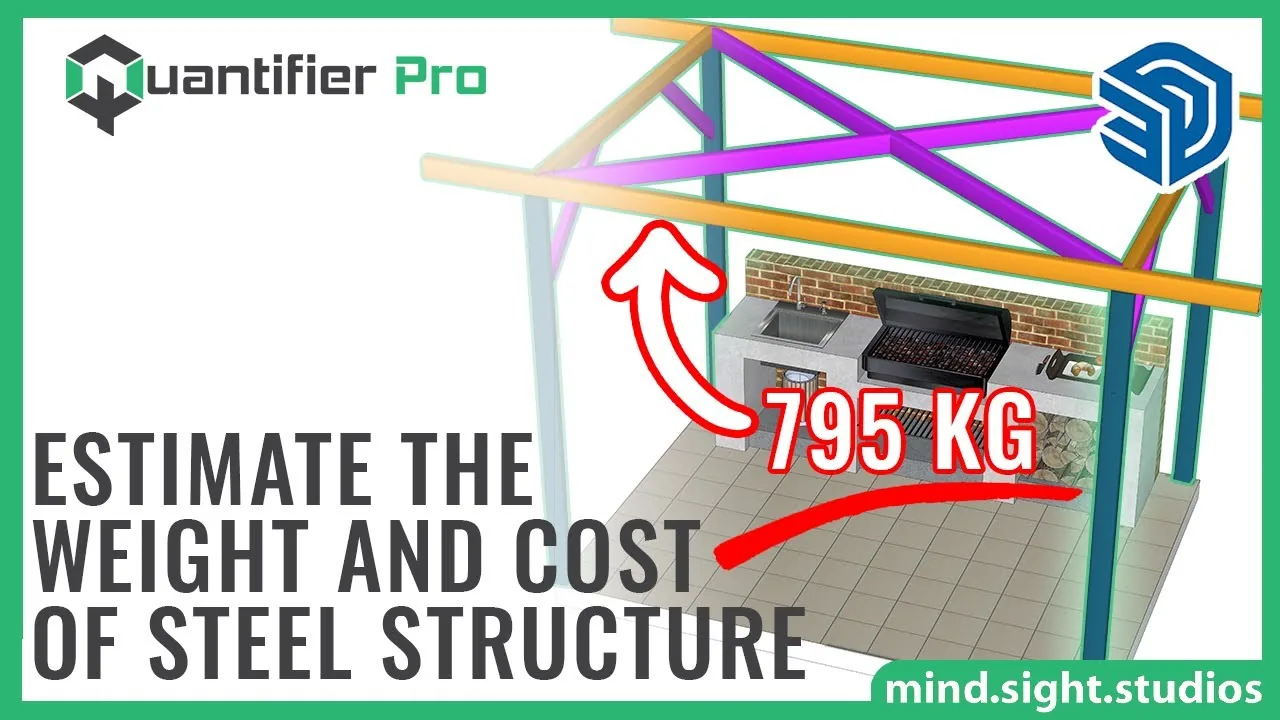
A video from the manufacturer: calculating the weight and cost of a steel structure in SketchUp.

See it in action
The video or demo loads only when you press play.
What it does, stage by stage
Quantifier Pro is a SketchUp extension that produces quantity take-offs and cost estimates directly from the model. It runs on Windows and macOS, with SketchUp 2017 or later.
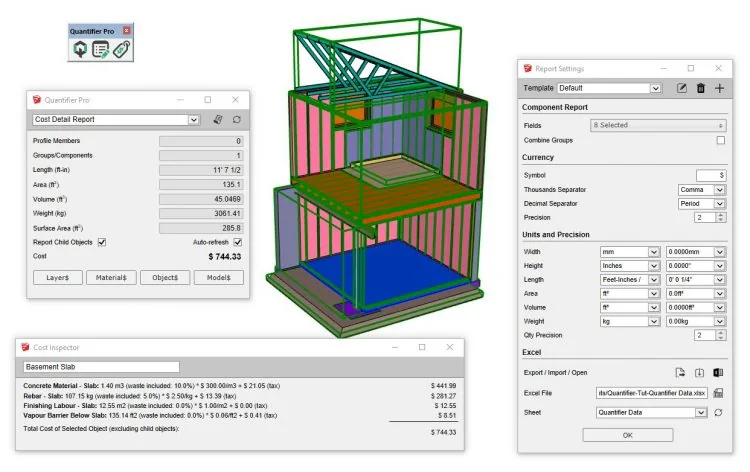
It calculates the areas of walls, slabs, roofs, floors and cladding, and the projected area for objects with thickness. The materials report shows the area of each material in the model. It reports the length, width and height of groups and components, and calculates their volume together with nested objects, even approximately for solids that are not closed, for concrete, gravel, soil or tanks.
With a density per layer (tag), per volume, area or length, the weight is calculated. Cost rules are defined per layer, material, object or for the whole model, and can be reused. The Cost Inspector shows the cost calculation of the selected object in detail.
Reports update when the model changes, can be configured freely and are exported to HTML or CSV. On Windows, Microsoft Excel is used to export and import shared cost data across several models. It supports many languages and currencies, with full control of units and precision. It works with Profile Builder.
The licence is perpetual, and there is a free 30-day trial licence.

Features and files
Features
- Type
- SketchUp extension
- Calculations
- area, projected area, length, volume, weight
- Cost
- rules per layer, material, object or model
- Inspection
- Cost Inspector per object
- Reports
- update with the model, export to HTML and CSV
- Excel
- import and export of cost data (Windows only)
- Works with
- Profile Builder
- SketchUp versions
- 2017 or later
- Operating system
- Windows and macOS
- Licence
- Perpetual
Opens and saves
- .skp
System requirements
Operating system Windows, macOS
- SketchUp 2017 or later
- Windows or macOS
- For import and export via Excel: Windows with Microsoft Excel
Works well with, and alternatives
Works well with



Quantifier Pro next to alternatives
Open the full comparisonQuestions, licence and delivery
Which SketchUp versions are supported?
SketchUp 2017 or later, on Windows and macOS.
What kind of licence is it?
A perpetual licence.
Is there a trial version?
Yes, a free 30-day trial licence.
In what format are the reports produced?
In HTML or CSV. On Windows, cost data can also be exported and imported via Microsoft Excel.
Does it calculate weight, e.g. for steel structures?
Yes, with a density per layer (tag), per volume, area or length.
How do I receive the licence?
After payment we order the licence from the manufacturer and email you its details.
Do the prices include VAT?
Prices exclude VAT. With a valid VAT number from another EU country, VAT is not charged; in Belgium it is charged at 21%. For private customers, VAT is calculated at checkout.