
CutMaster CNC v3
by CabMaker32 (GKWare), SketchUp plug-ins
Program that produces DXF files for CNC from CabMaker parts
CutMaster: panel cutting plans and files for CNC
A Windows program that lays parts out on sheets with as little waste as possible, prints reports and labels and prepares DXF files. Choose a topic.
Laying parts out on sheets with the least waste
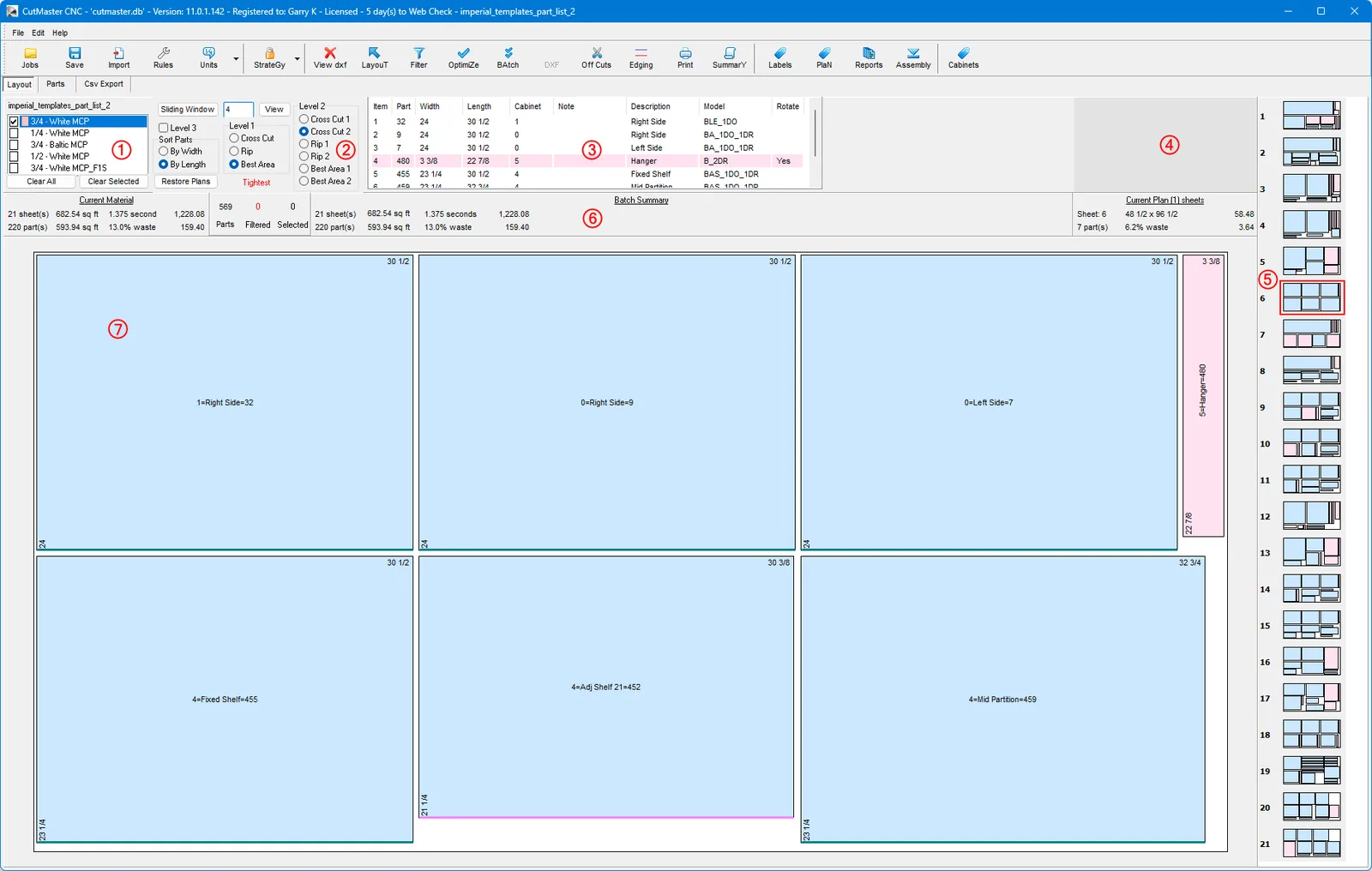
CutMaster works out how the sheets of each material will be cut and shows the result in a dimensioned diagram.
- No limit on the number of sheets or parts
- Four strategies: prefer cross cuts, prefer rips, tightest packing or manual setting
- It can use offcuts left over from earlier jobs
- Optimise one material or all of them with a single button
- A thumbnail for every sheet and summaries per sheet, material and job


Parts lists from CabMaker or from your own CSV file
CutMaster works together with CabMaker in SketchUp, and also on its own, with jobs kept in its own database.
- CabMaker writes the parts to a CSV file and opens CutMaster, which imports them straight away
- After import, the list of materials for the job appears
- Import other CSV files too, mapping each column to a field
- Three grids for parts, sheets and offcuts, with sorting, row cloning and in-grid editing
Works with: CabMaker CSV


Cutting diagrams, cost summary and part labels
Whatever CutMaster calculates can be previewed on screen and sent to the printer when it is ready.
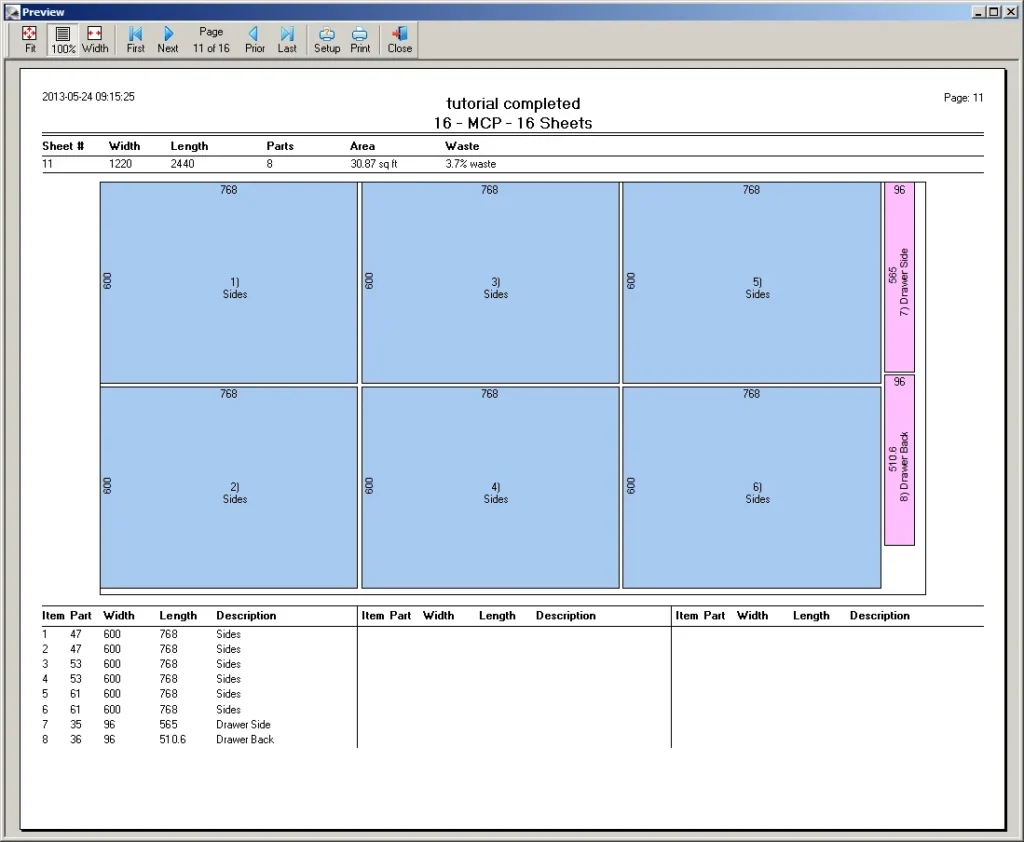
- A cutting diagram per sheet for the selected material
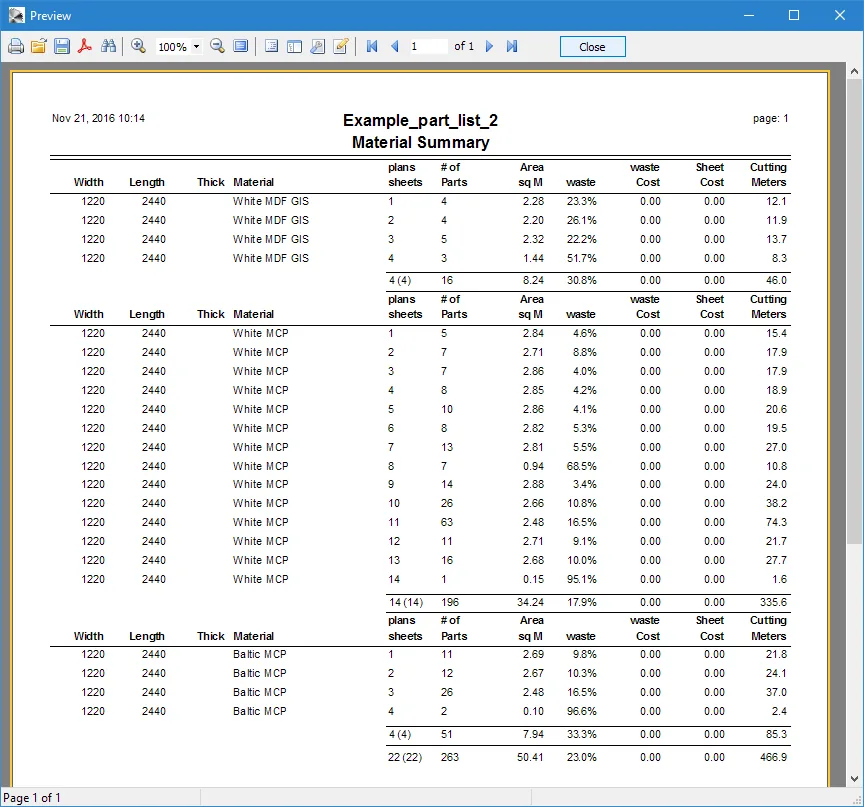
- A material summary with cost information
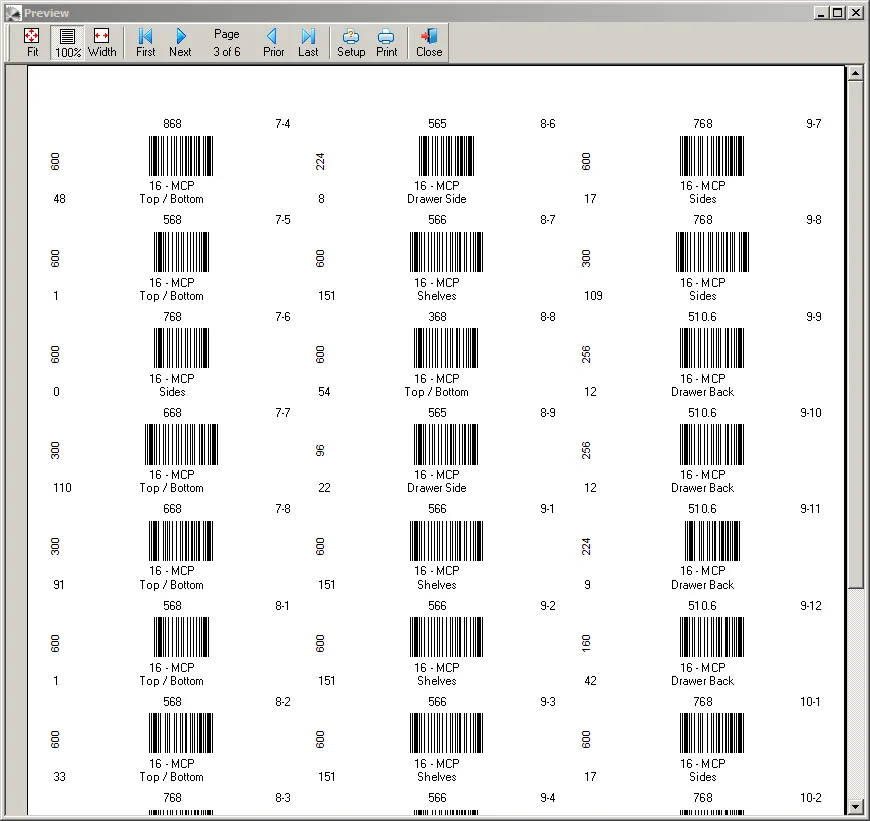
- One barcode label per part, plus labels per cabinet
- Batch printing of the reports you choose in the settings


DXF files for the CNC machine, with holes and joinery
The cutting plan produces DXF files for the whole job, for use with programs that generate g-code.
- Nested DXF files for the whole job with one click
- A DXF view in place of the cutting plan, selecting parts from the list or the drawing
- A joinery form that sets holes for doors, drawers, shelves, hinges and closets
- Open a single part in your CAD program to change it before cutting
- CabMaker reads the DXF files back into SketchUp so you can check their accuracy
Works with: DXF


Machining rules for hinges, drawers and grain direction
CNC settings are kept in rule sets, which you clone and adapt for each way of building.
- Depth, diameter and spacing for hinge and mounting plate holes, saved in sets
- Settings for drawer systems, with holes, grooves and rebates per side
- Rotation rules per part type, so the sheet grain direction is respected
- Extra padding for small and narrow parts
- The maker offers free settings for Blum, Grass, Accuride, KV and Pride drawers


CabMaker and CutMaster together
Official GKWare video: cabinets move from SketchUp to CutMaster and are made ready for CNC.

See it in action
The video or demo loads only when you press play.
What it does, stage by stage
CutMaster (GKWare) is a panel cutting optimiser for Windows, with no limit on the number of sheets or parts. It lays out the parts of each material on the sheets using four strategies (cross cuts, rips, tightest packing or manual) and can make use of offcuts from earlier jobs.
It works together with CabMaker in SketchUp, which sends it the parts list as a CSV file, or on its own with jobs in its own database. It prints cutting diagrams, a material summary with costs and barcode labels, and produces DXF files with holes and joinery, for use with programs that generate g-code for CNC machines.
Survey
It is not its job.
Concept
It is not its job. Combine it with SketchUp Building Bundle.
Design development
It is not its job. Combine it with CabMaker32.
Construction drawings
Drawings, schedules and information for construction.
Presentation
It is not its job. Combine it with SketchUp Building Bundle.


Features and files
Features
- Type
- Panel cutting optimiser
- Output
- Cutting plans, labels, DXF for CNC
- Import
- From CabMaker or CSV files
- Works with
- CabMaker
- Operating system
- Windows
- Licence
- Perpetual, one computer
Opens and saves
- .dxf
System requirements
Operating system Windows
- Windows (CutMaster does not run on macOS)
- For the link with SketchUp: CabMaker of the matching version (CutMaster v11 works with CabMaker v11)
Works well with, and alternatives
Works well with


CutMaster CNC v3 next to alternatives
Open the full comparisonQuestions, licence and delivery
Does it work without CabMaker?
Yes. It can run on its own, with jobs kept in its own database, and import parts lists from CSV files.
Which CNC programs does it work with?
It produces DXF files, used with programs that generate g-code. Check your machine software with the trial version before buying.
Is there a trial version?
Yes, the maker offers a fully featured trial, which converts to a licensed version once your account is updated after purchase.
How do I receive the licence?
After payment we order the licence from the manufacturer and email you its details.
Do the prices include VAT?
Prices exclude VAT. With a valid VAT number from another EU country, VAT is not charged; in Belgium it is charged at 21%. For private customers, VAT is calculated at checkout.