
ZWCAD MFG
by ZWSOFT, Design & BIM
Authorised ZWSOFT reseller for Greece and Cyprus
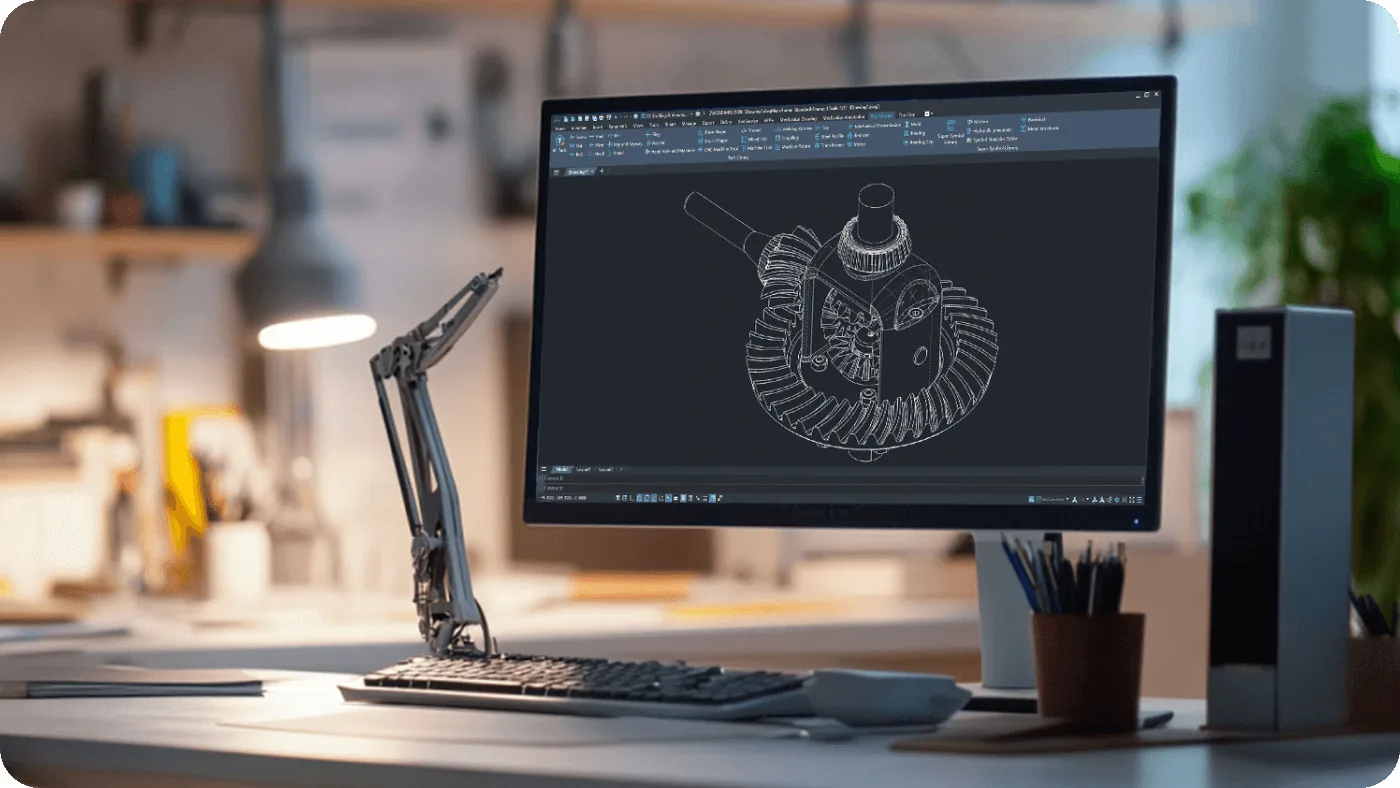
Mechanical drawing in DWG with a library of standard parts and automatic BOM, with a perpetual licence
All ZWCAD 2026 prices
Every combination at a glance: edition, licence for one computer or for a network, perpetual or for one year, and upgrade from an older version. You choose the combination in the purchase form on the page of each edition.
ZWCAD Standard
| Licence | Standalone | Network |
|---|---|---|
| Perpetual licence | 799 € | 899 € |
| 1-year licence | 180 € | 200 € |
| Upgrade from 2024 or 2025 | 240 € | 270 € |
| Upgrade from 2023 or earlier | 360 € | 405 € |
ZWCAD PRO
| Licence | Standalone | Network |
|---|---|---|
| Perpetual licence | 1.299 € | 1.449 € |
| 1-year licence | 280 € | 310 € |
| Upgrade from 2024 or 2025 | 390 € | 435 € |
| Upgrade from 2023 or earlier | 585 € | 653 € |
ZWCAD MFG
| Licence | Standalone | Network |
|---|---|---|
| Perpetual licence | 1.599 € | 1.749 € |
| 1-year licence | 340 € | 370 € |
| Upgrade from 2024 or 2025 | 480 € | 525 € |
| Upgrade from 2023 or earlier | 720 € | 788 € |
Standalone: licence for one computer. Network: network licence shared by the computers of the office. Prices for Greece and Cyprus, excluding VAT. An upgrade is from a licence of the same edition.
Mechanical drafting that moves faster
ZWCAD MFG adds tools for frames, BOMs, annotation and standard parts to ZWCAD. Here is how it works, topic by topic.
Frame, balloons and bill of materials in a few clicks
The frame, the balloons and the bill of materials work together: the balloons are linked to the BOM.
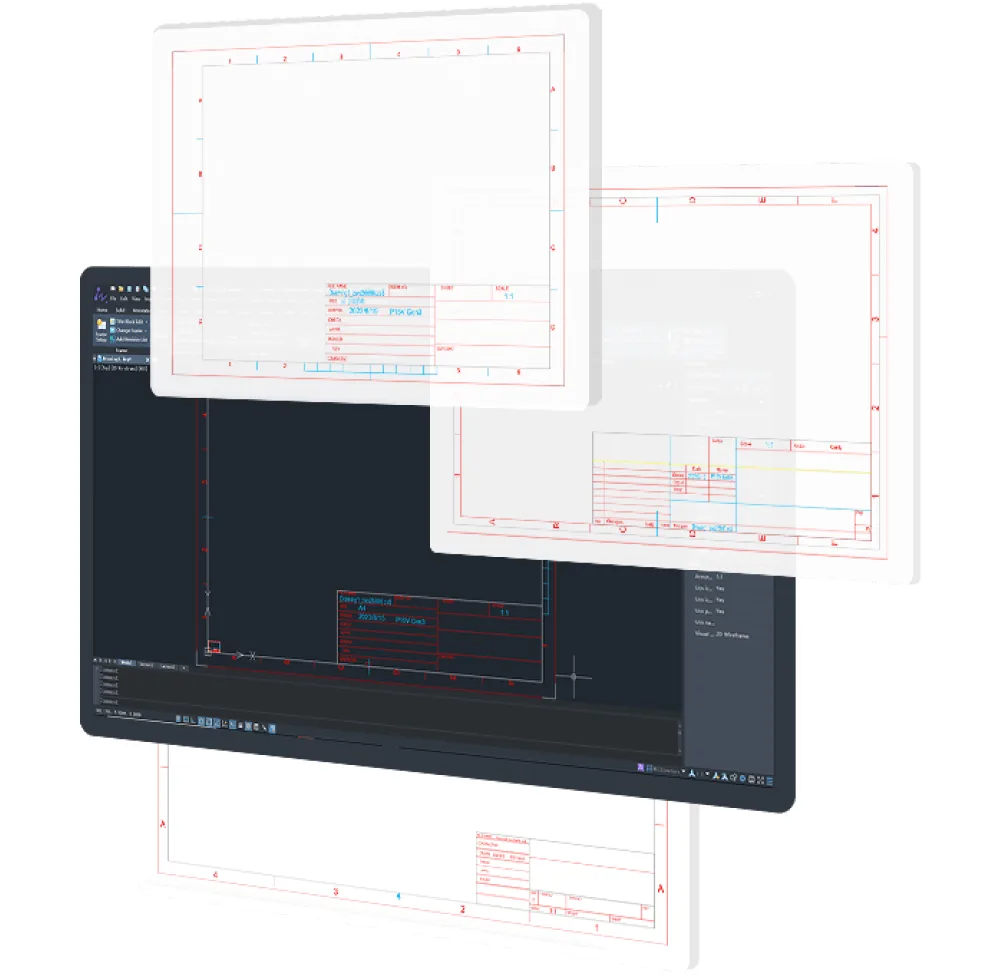
- Frames and title blocks for many common standards, adjustable to your needs
- Change the frame and the dimension scales update automatically
- Part balloons go in with one click and are linked to the BOM
- Once the balloons are placed, the bill of materials is generated automatically


Annotation with smart tools and symbols
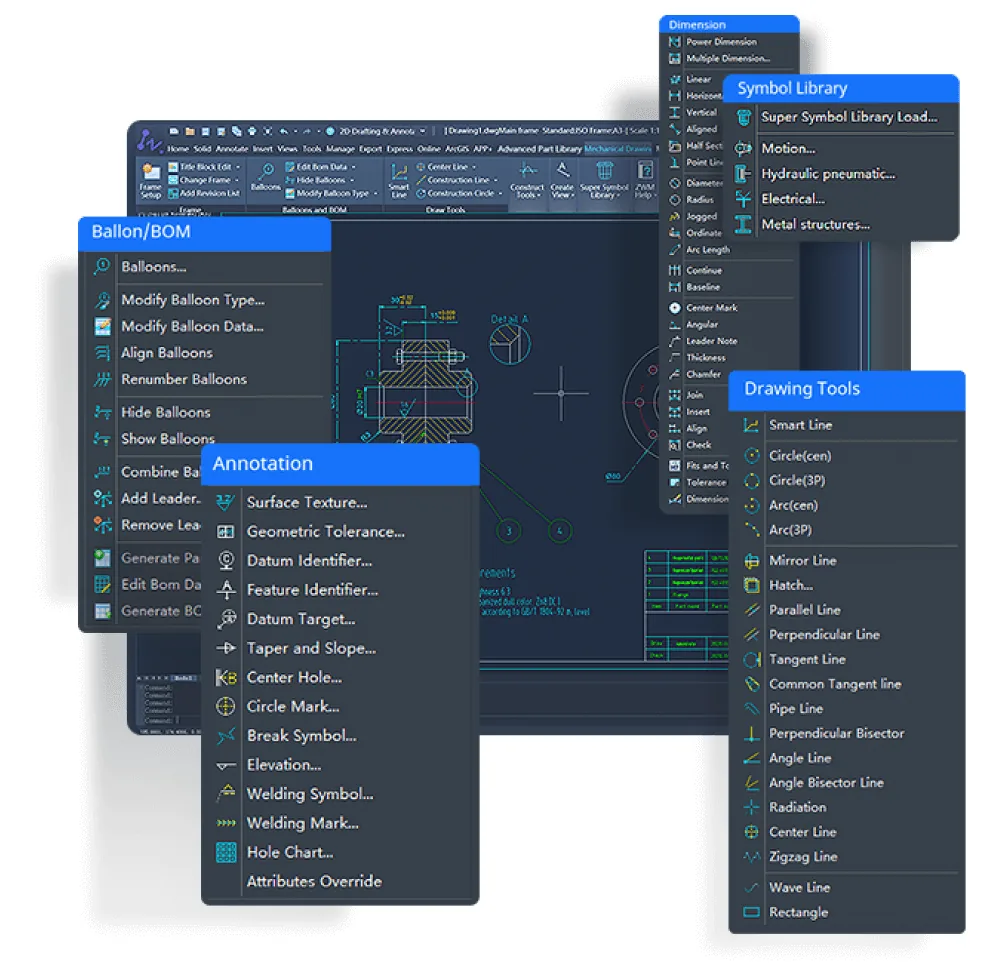
Annotation is done with ready-made tools and a symbol library.
- Smart annotation tools for mechanical drawings
- An extensive symbol library
- Balloons are linked to part properties and to the bill of materials


Drawing tools for mechanical drawings
ZWCAD MFG is built on ZWCAD and adds tools for faster drafting.
- A rich set of drawing tools
- Automation that speeds up the design workflow
- The drawing tools work together with smart annotation, the symbol library and automatic BOMs


Standard parts and symbols ready to use
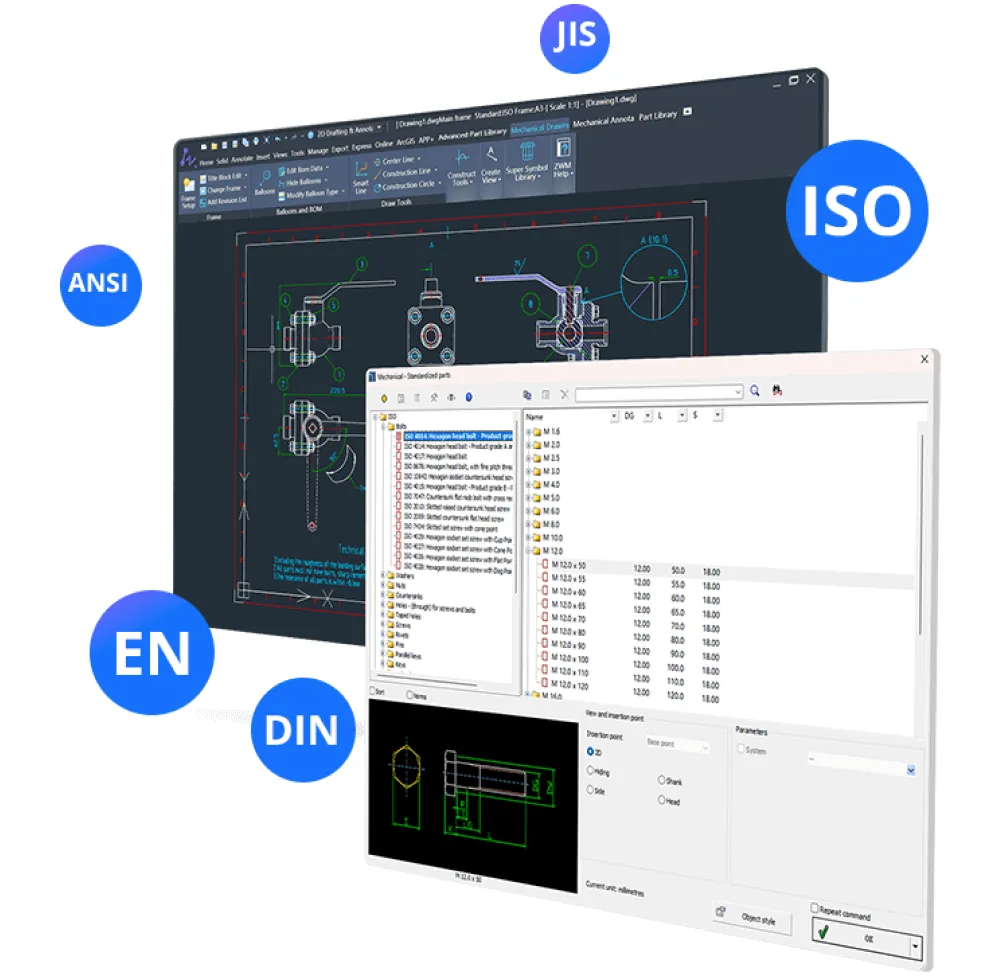
You do not redraw what is already standardised: you pick it from the library.
- Parts to ISO, EN, DIN, ANSI, ASME, PN, IS, JIS and other standards
- From bolts and screws to studs and rivets
- An extensive symbol library
Works with: ISO EN DIN ANSI ASME PN IS JIS


The same standards for the whole team, and a PLM link
The team works to shared standards, and drawing data can pass to a PLM system.
- Your own templates with custom frames, parts library, dimension styles and fonts
- The same technical requirements and standards across the team
- Connection to PLM systems such as Teamcenter and Windchill
- Design data managed across the product lifecycle
Works with: Teamcenter Windchill

ZWCAD MFG on video
ZWSOFT's official video about the program.

See it in action
The video or demo loads only when you press play.
What it does, stage by stage
ZWCAD MFG is the edition of ZWCAD for mechanical design and industry. It contains everything in ZWCAD Professional, that is DWG drafting, 3D modelling, IFC and RVT import, and adds tools needed by anyone designing parts, machinery and metal structures.
For manufacturing drawings it offers a library of standard parts with many standards (among them ISO, EN, DIN, ANSI, ASME and JIS), ready-made frames and legends, special dimensions (Power Dimension), mechanical symbols and technical specifications. Bills of materials (BOM) are created automatically and stay linked to the numbering and properties of the parts. There are also mechanical calculation tools, compatibility with AutoCAD Mechanical drawings and a connection to the Teamcenter and Windchill PLM systems.
The licence is perpetual, with optional annual maintenance for upgrades. There is a licence for one computer and a network licence. It is installed separately from ZWCAD Standard and Professional and has a free 30-day trial.
Survey
It is not its job.
Concept
It is not its job.
Design development
The design takes shape: spaces, structure, materials and checks.
Construction drawings
Drawings, schedules and information for construction.
Presentation
It is not its job.
Features and files
Features
- Native DWG
- yes
- Includes ZWCAD Professional
- yes
- Standard parts library
- ISO, EN, DIN, ANSI, ASME, PN, IS, JIS
- Automatic BOM and numbering
- yes
- Mechanical dimensions and symbols
- yes (Power Dimension)
- Mechanical calculations
- yes
- AutoCAD Mechanical compatibility
- yes
- PLM connection
- Teamcenter, Windchill
- Network licence
- yes
- Trial
- 30 days
Opens and saves
- .dwg
- .dxf
- .ifc
- .rvt
System requirements
Operating system Windows
- ZWCAD, on which it is based, runs on Windows 11, 10, 8.1 or 7 SP1 and on Windows Server 2008 R2 SP1 to 2019
- There is no version for macOS
Works well with, and alternatives
Works well with

ZWCAD MFG next to alternatives
Open the full comparisonQuestions, licence and delivery
What is the difference from ZWCAD Professional?
MFG contains all of Professional and adds mechanical tools: a library of standard parts, automatic BOM, mechanical dimensions, symbols and calculations.
What licence do I get?
A perpetual licence with a single payment. Upgrades to new versions are covered by optional annual maintenance. A network licence is also available.
Does it open drawings from AutoCAD Mechanical?
Yes, ZWSOFT states compatibility with AutoCAD Mechanical.
Can I have ZWCAD and ZWCAD MFG together?
MFG is installed separately from Standard and Professional.
Does it have a Greek interface?
A Greek user interface is not available.
How do I receive the licence?
After payment we order the licence from the manufacturer and email you its details.
Do the prices include VAT?
Prices exclude VAT. With a valid VAT number from another EU country, VAT is not charged; in Belgium it is charged at 21%. For private customers, VAT is calculated at checkout.