
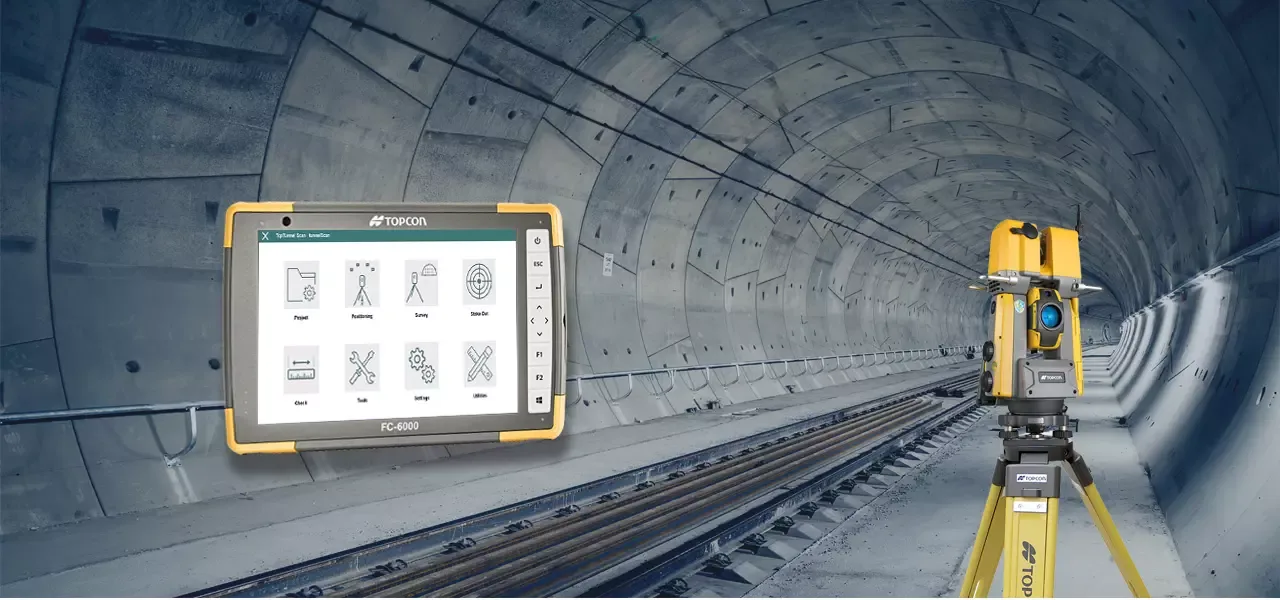
TcpTunnel Scan for Topcon
by Aplitop, Surveying & GIS
Real-time tunnel excavation checking with a Topcon scanner and a Windows tablet
Scanning and checking the tunnel on site
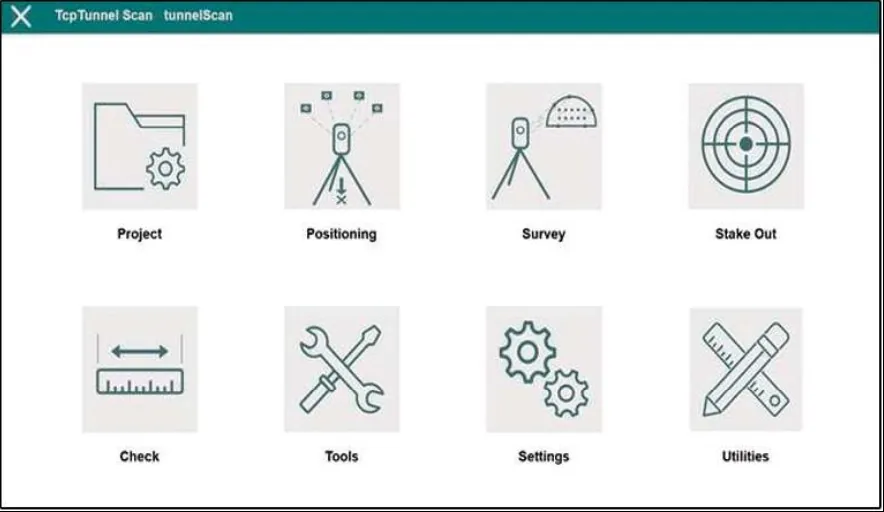
Pick a topic and see how tcpTUNNEL Scan works at the face with the Topcon scanner. The pictures are screenshots of the program.
Alignments, tunnel design and setting up the instrument
Before scanning you define the project and set up the station, all from the tablet in the field.
- The project holds the horizontal and vertical alignments, the design section and the point clouds
- Data comes from CAD drawings or is imported from LandXML, IFC and other formats
- The station is set up by coordinates, angle or resection
- You can also reuse the set-up already done in Topcon MAGNET Field
Works with: LandXML IFC Topcon MAGNET Field

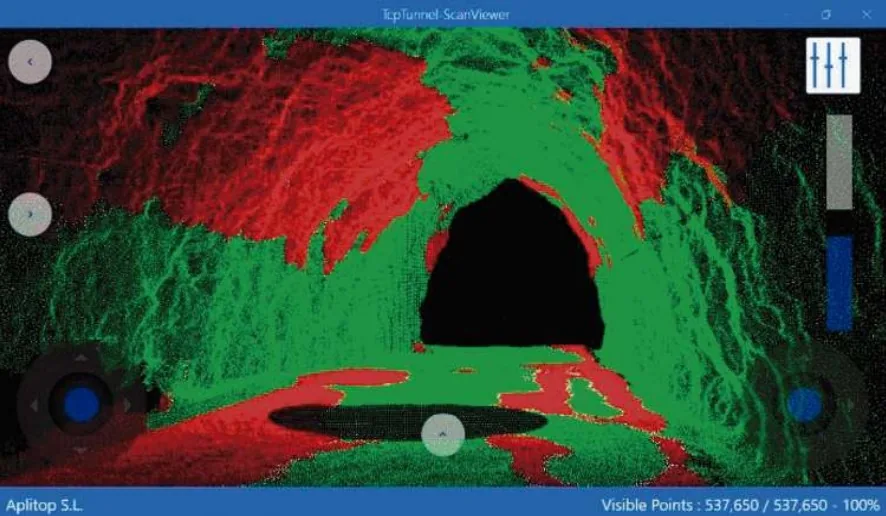
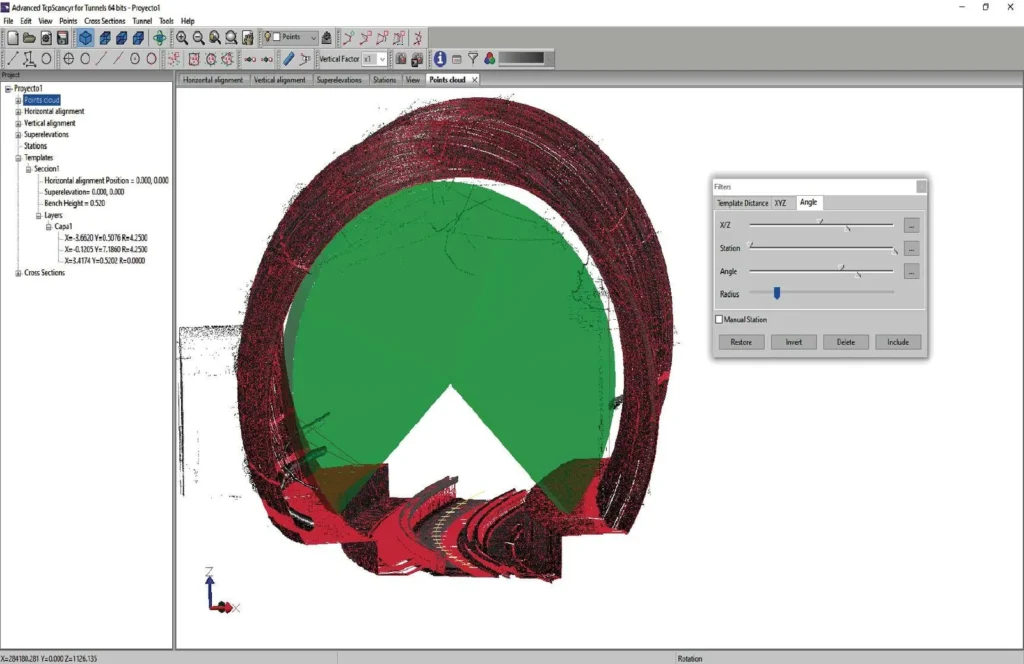
Scanning the vault or face and viewing the cloud in 3D
The application drives the Topcon GTL robotic station with its laser scanner and shows the measured points straight away.
- Control of the scan on the tunnel vault or the excavation face
- Optional filters by chainage range and by distance
- 3D view for reviewing the cloud and taking measurements on it
- The whole job is finished on site, with no office processing
Works with: Topcon GTL

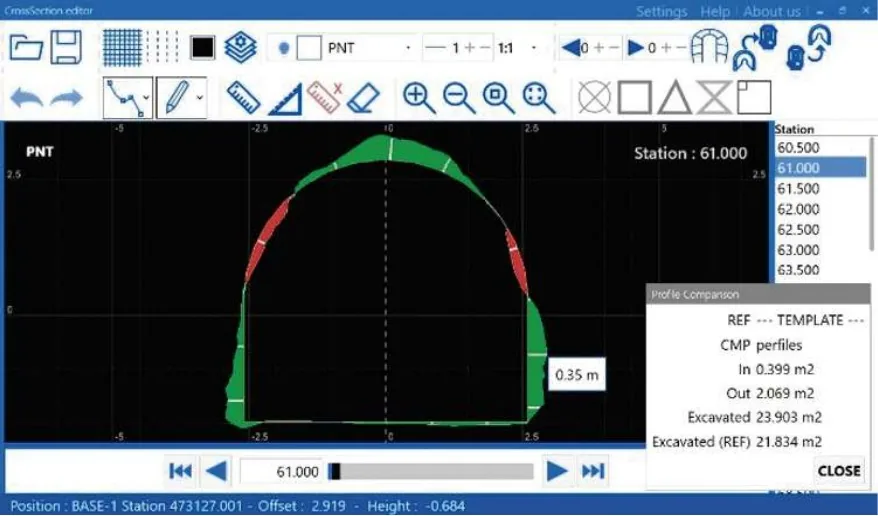
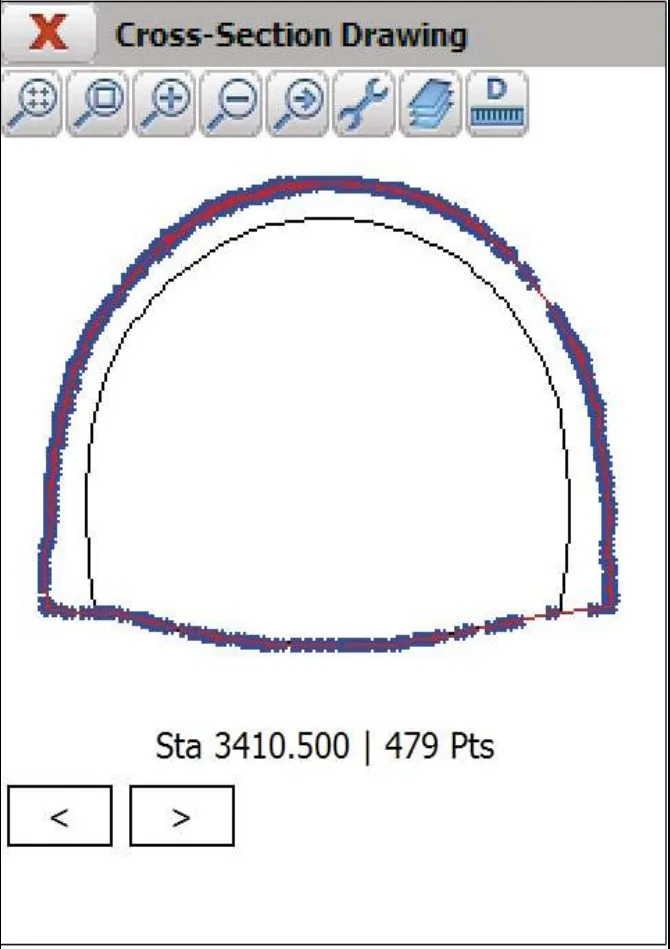
Measured sections beside the design, with colours for deviations
Dense cross-sections are worked out quickly from the cloud, and you review and correct them on screen.
- View, edit and compare sections against the design or against other sections
- Underbreak and overbreak shown in different colours
- Pick a point on the section and the laser pointer marks it in the tunnel
- Measure a point to see the design and as-built sections at that chainage

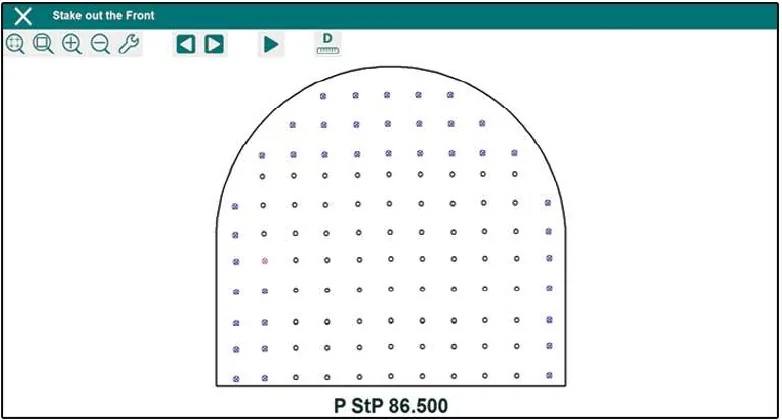
Stake-out at the face from positions taken from the cloud
Each point position is computed from the scan, so there is no trial and error to find the design point.
- Drill holes for the next blast, section points and rock bolts
- Road surface and points from the project file
- Check of the minimum shotcrete lining thickness and calculation of its volume
- For later analysis it works with tcpScancyr or tcpTUNNEL CAD
Works with: tcpScancyr tcpTUNNEL CAD

tcpTUNNEL Scan for Topcon: overview
Official Aplitop video showing the application at work.

See it in action
The video or demo loads only when you press play.
What it does, stage by stage
tcpTUNNEL Scan for Topcon is an Aplitop application for real-time control of tunnel excavation with a laser scanner. It is installed on a Windows tablet connected to a Topcon GTL robotic station.
It scans the roof or the excavation face, displays the point cloud in 3D, calculates the current cross sections and compares them with the design or with other cross sections. It also helps with setting out cross-section points, blast holes and anchors.
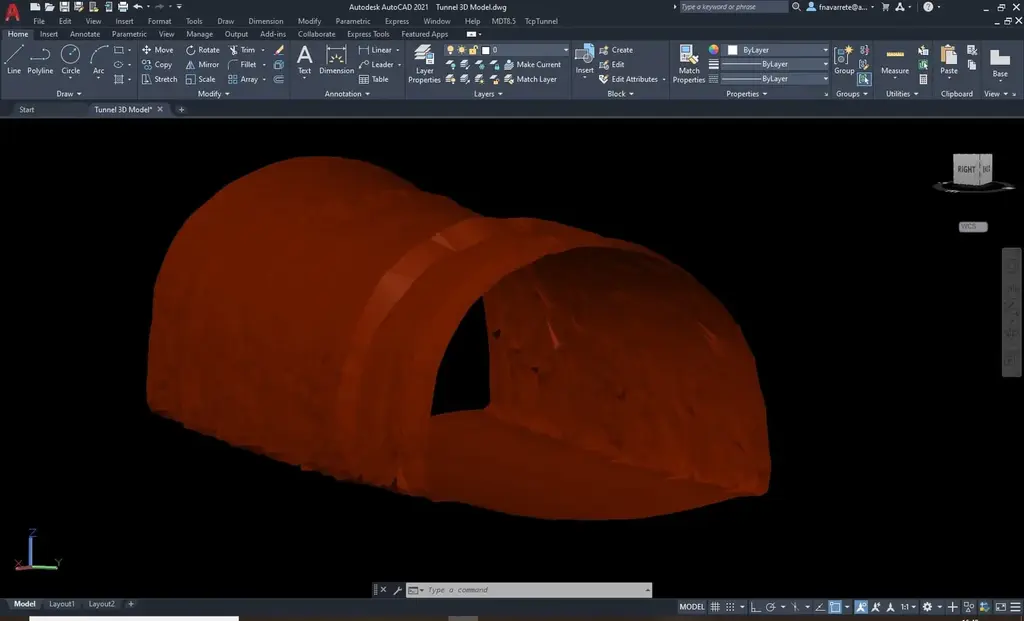
For maps and reports it works with tcpScancyr, and for later analysis there is tcpTunnel CAD. A free evaluation version is available; the price is given on request.
Survey
The existing condition is measured and becomes a digital model.
Concept
It is not its job. Combine it with Allplan.
Design development
It is not its job. Combine it with ZWCAD.
Construction drawings
Drawings, schedules and information for construction.
Presentation
It is not its job. Combine it with Allplan.
Features
Features
- Platform
- Windows tablet
- Instrument
- Topcon GTL robotic station with scanner
- Point cloud
- 3D display
- Cross sections
- calculation and comparison with design
- Setting out
- cross sections, blast holes, anchors
- Trial
- yes
System requirements
Operating system Windows
- Windows tablet
- Topcon GTL robotic station with laser scanner
Works well with, and alternatives
Works well with
TcpTunnel Scan for Topcon next to alternatives
Open the full comparisonQuestions, licence and delivery
How much does it cost?
Price on request. Ask ELITESOFT for a quotation.
What instrument is needed?
A Topcon GTL robotic station with a laser scanner, connected to a Windows tablet.
How are the reports produced?
Through the related product tcpScancyr.
Is there a trial?
Yes, the manufacturer mentions a free evaluation version to download.
How do I receive the licence?
After payment we order the licence from the manufacturer and email you its details.
Do the prices include VAT?
Prices exclude VAT. With a valid VAT number from another EU country, VAT is not charged; in Belgium it is charged at 21%. For private customers, VAT is calculated at checkout.