
GeometryGym
AI & extensions
Rhino and Grasshopper add-on for exchanging models with BIM and engineering software
GeometryGym as a bridge between Rhino and BIM
Plug-ins for Rhino and Grasshopper that read and write IFC files and connect your models with Revit, Tekla and structural analysis programs. Choose a topic.
From Rhino geometry to an IFC file through a simple layer structure
You define what each object is through a layer hierarchy, and the plug-in writes the IFC file for the other BIM programs in your team.
- The ggRhinoIFC Layers panel maps Rhino layers to IFC classes, with menus for the class and the Uniclass classification
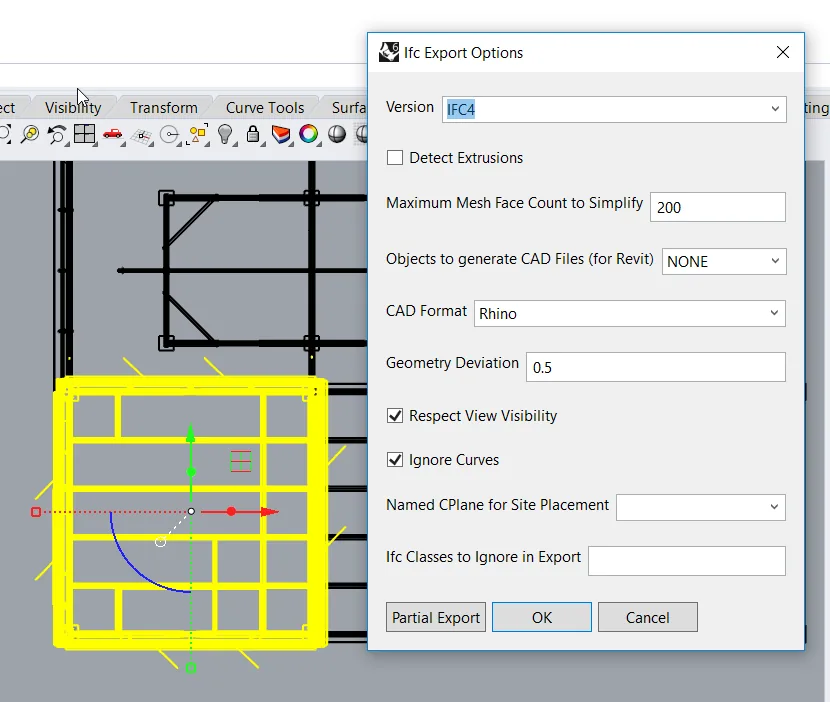
- In the export options you choose whether the file is written as IFC 2x3 or IFC4
- Partial export: send only the elements you have selected from a larger model
- Geometry settings such as extrusion detection and simplification of heavy meshes for a smaller file
- Separate commands convert LandXML and STEP files to IFC
Works with: IFC 2x3 IFC4 LandXML STEP


IFC files inside Rhino, organised the way the building is
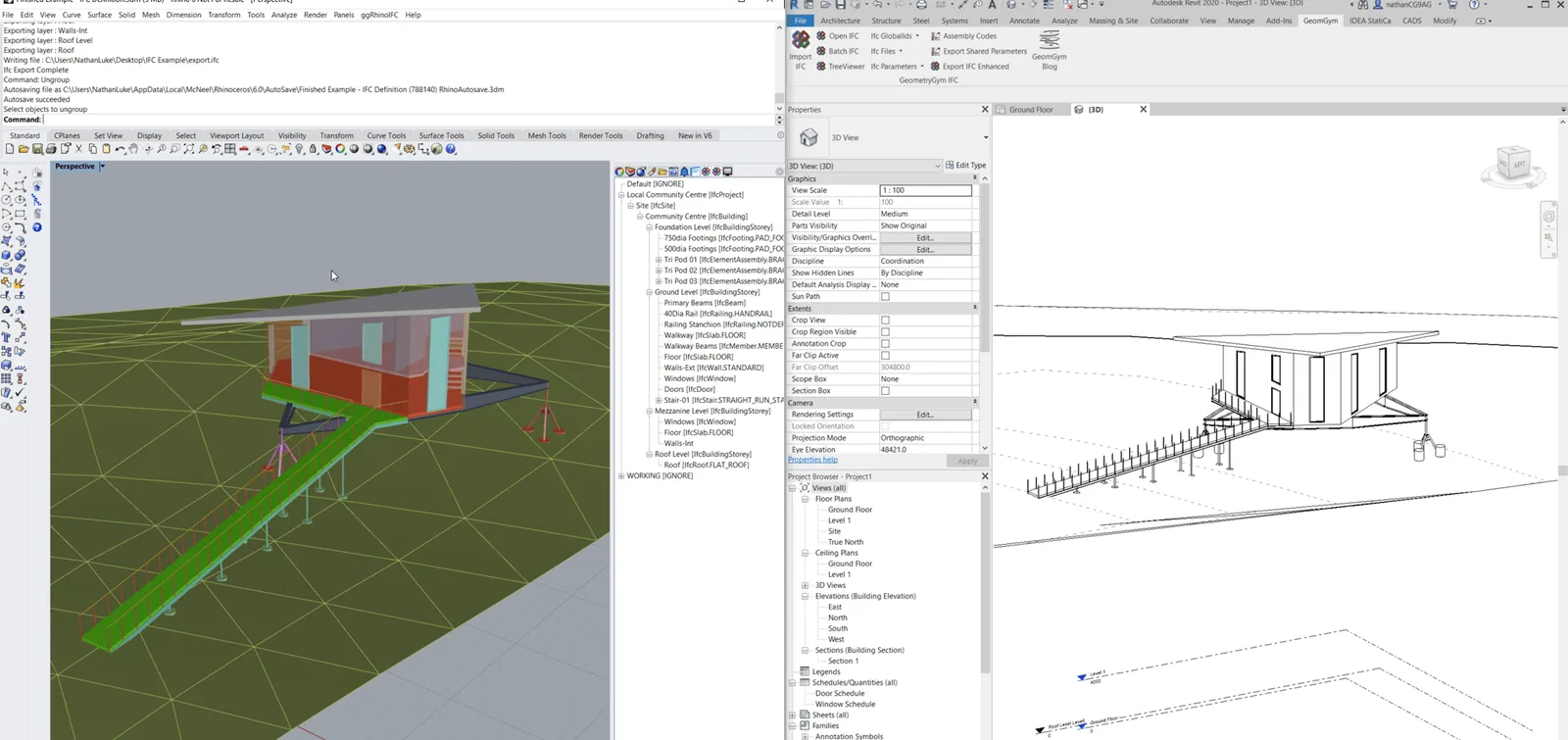
The ggImportIFC command turns the elements of the file into the most suitable Rhino geometry and keeps their information with them.
- Layer hierarchy by site, building and storey, so you can filter the model easily
- Element properties are carried over as user text on the Rhino objects, optionally prefixed with the property set name
- Tolerance from the file, from the Rhino document or a value of your own, when the file asks for overly strict precision
- Import to local coordinates for georeferenced models, with construction planes for queries in grid coordinates
- An IFC class filter leaves out spaces, furniture or anything else you do not need


View and check an IFC file in a tree view
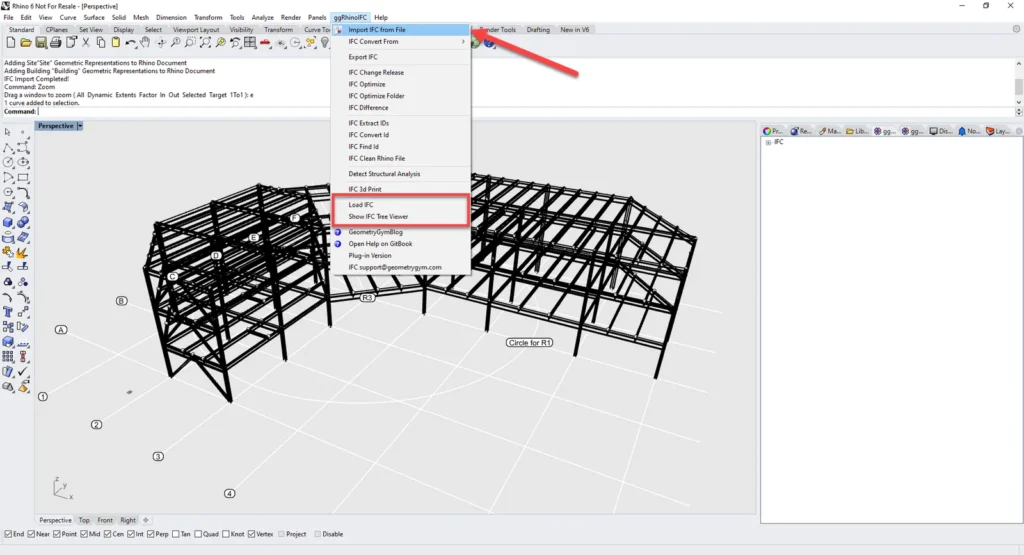
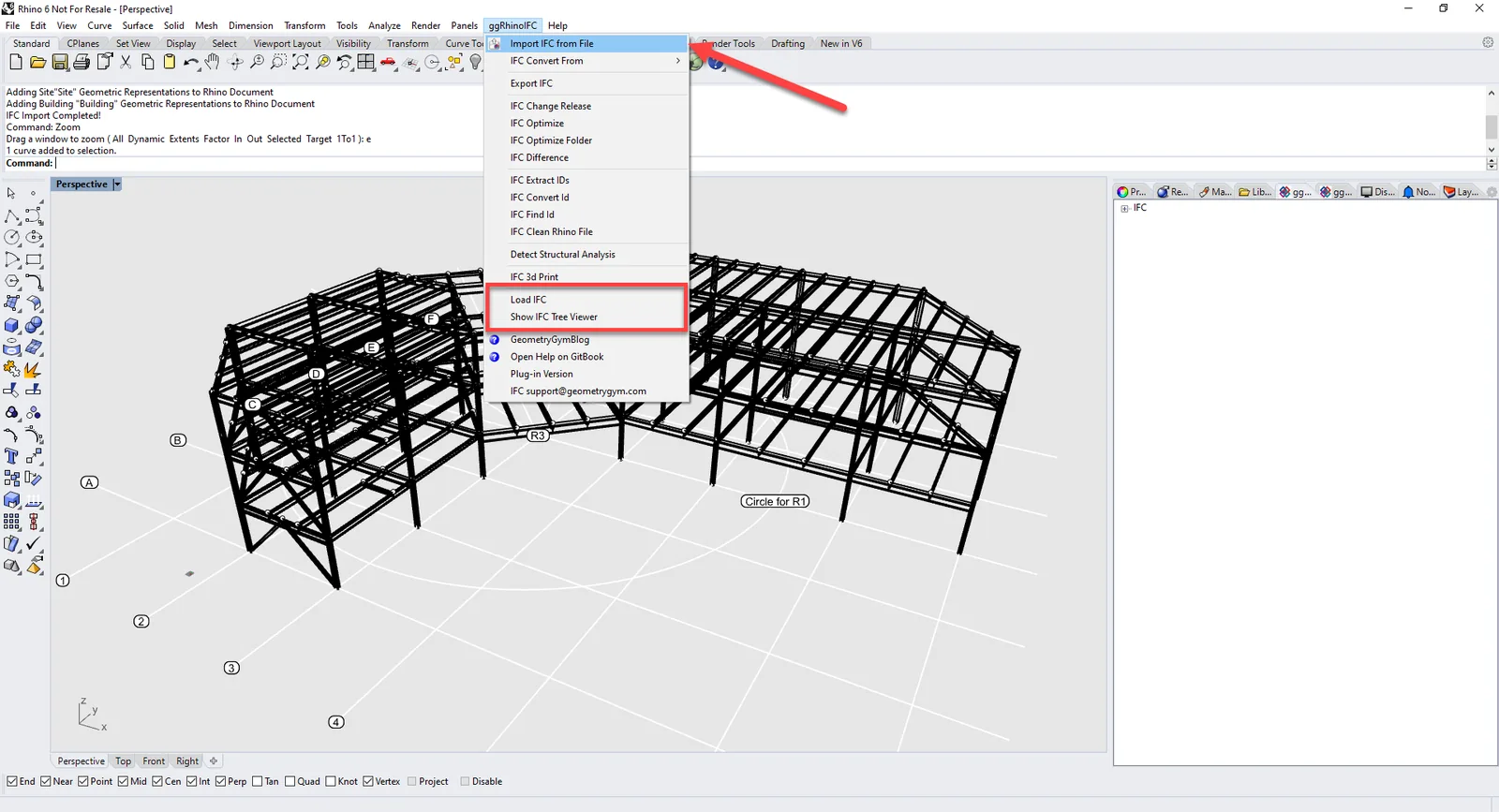
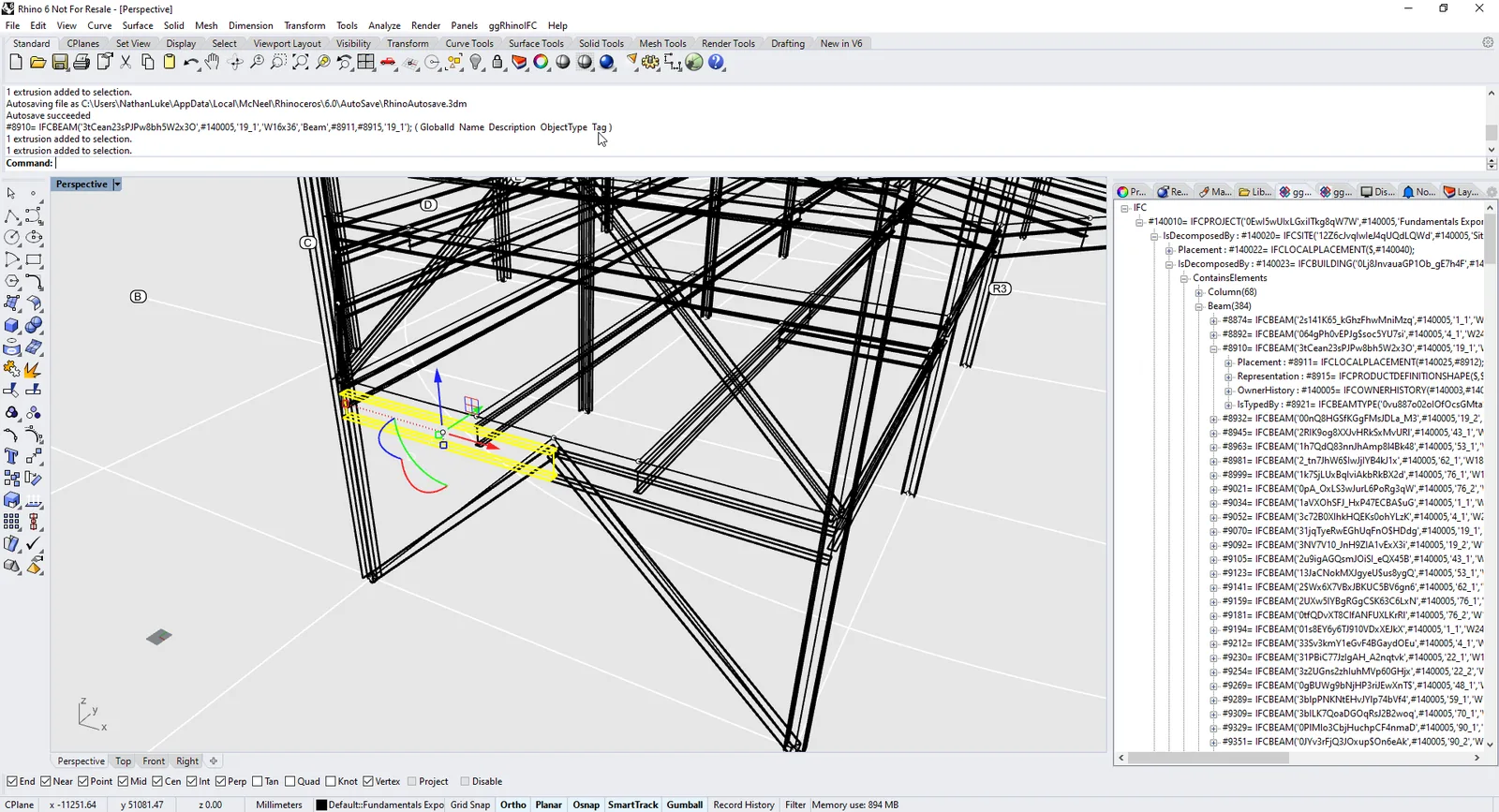
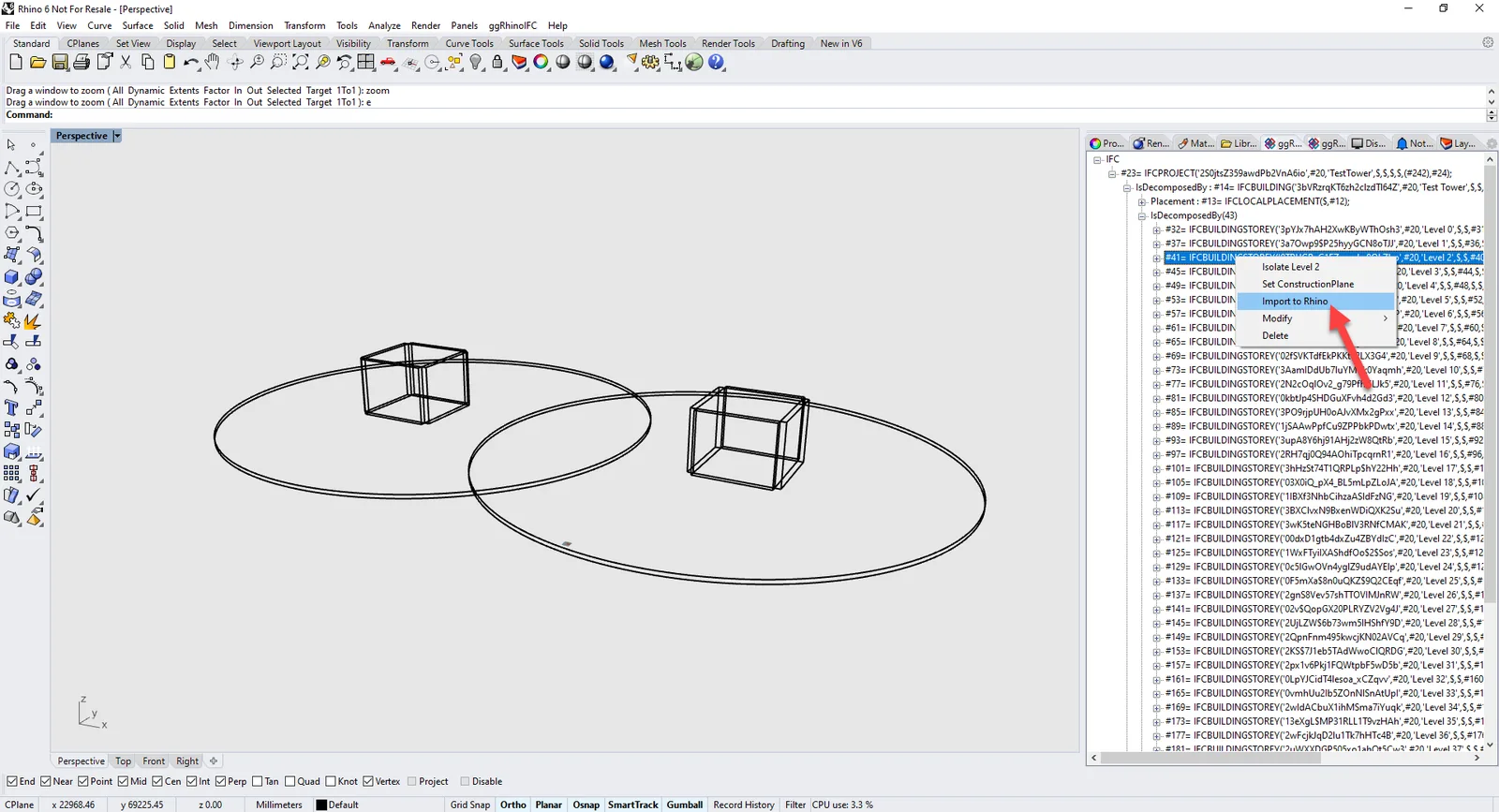
The Tree Viewer opens in the Rhino properties panel and shows the structure of one or more IFC files next to their geometry.
- Click an element on screen and the tree jumps to its place in the file
- Select a node in the tree, such as a storey, and the matching geometry is selected in Rhino
- Load several files together to compare models from different disciplines
- From the same panel, export parts of the file, track down problems and make simple changes


Parametric models for IFC, Revit, Tekla and structural analysis
In Grasshopper, the Geometry Gym tools build BIM models from parametric definitions, with a separate plug-in for each target program.
- IFC tabs for project definition, grids and levels, materials, profiles, property sets and element types
- The Revit plug-in comes with the IFC plug-in and creates native Revit elements and families, also through Rhino.Inside Revit
- The Tekla plug-in generates Tekla geometry without Tekla having to be installed on the computer
- Separate structural analysis plug-ins for GSA, ETABS, SAP2000, Robot, SPACE GASS, Strand7 and LUSAS, with loads, combinations and results
- The free BullAnt adds geometry utilities and simple form finding, and many of the other plug-ins rely on it
Works with: Grasshopper Revit Tekla GSA ETABS SAP2000 Robot

From an IFC file to a structural analysis model
Official Geometry Gym video: an IFC model from Tekla or Revit becomes a structural analysis model with Grasshopper components.

See it in action
The video or demo loads only when you press play.
What it does, stage by stage
GeometryGym is a series of Geometry Gym plug-ins for Rhino and Grasshopper, centred on ggRhinoIFC: you import and export IFC files, organise geometry in layers with IFC classes and check files in a tree view inside Rhino.
In Grasshopper the same tools build parametric BIM models for IFC and, through the Revit plug-in that comes with IFC, native Revit elements and families. Geometry Gym also has separate plug-ins for Tekla and for structural analysis programs such as GSA, ETABS, SAP2000 and Robot.
The manufacturer offers a free 30-day trial. The commercial licence runs through an internet licence server, so it can be shared between users and offices.
Survey
It is not its job.
Concept
It is not its job. Combine it with Rhino.
Design development
The design takes shape: spaces, structure, materials and checks.
Construction drawings
Drawings, schedules and information for construction.
Presentation
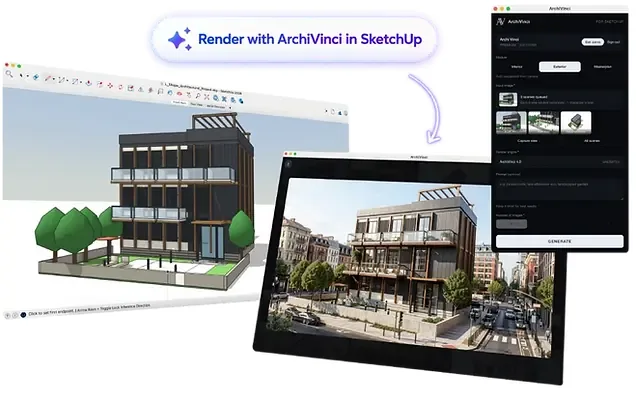
It is not its job. Combine it with ArchiVinci.
Features
Features
- Type
- Rhino/Grasshopper plug-ins
- IFC
- import and export, IFC 2x3 and IFC4
- Connects with
- Revit, Tekla, structural analysis programs
- Licence
- via licence server (floating)
- Trial
- 30 days
System requirements
- Rhino and Grasshopper installed before the plug-in; there is a separate package for each Rhino version
- Installation from the Rhino Package Manager
- For the Revit and Navisworks plug-ins: .msi installer
- Internet connection for the commercial licence
Works well with, and alternatives
Works well with


GeometryGym next to alternatives
Open the full comparisonQuestions, licence and delivery
Which IFC versions does it write?
In the export options you choose IFC 2x3 or IFC4.
Do I need Tekla installed?
No. The manufacturer states that the Tekla plug-in generates Tekla geometry without Tekla installed on the computer.
Is there a trial?
Yes, a free 30-day trial, starting on the day you request the trial licence.
How does the licence work?
The commercial licence is activated through an internet licence server and can be shared between users and offices.
How do I receive the licence?
After payment we order the licence from the manufacturer and email you its details.
Do the prices include VAT?
Prices exclude VAT. With a valid VAT number from another EU country, VAT is not charged; in Belgium it is charged at 21%. For private customers, VAT is calculated at checkout.