
Skalp for SketchUp
by Skalp, SketchUp plug-ins
Live sections with hatching inside SketchUp
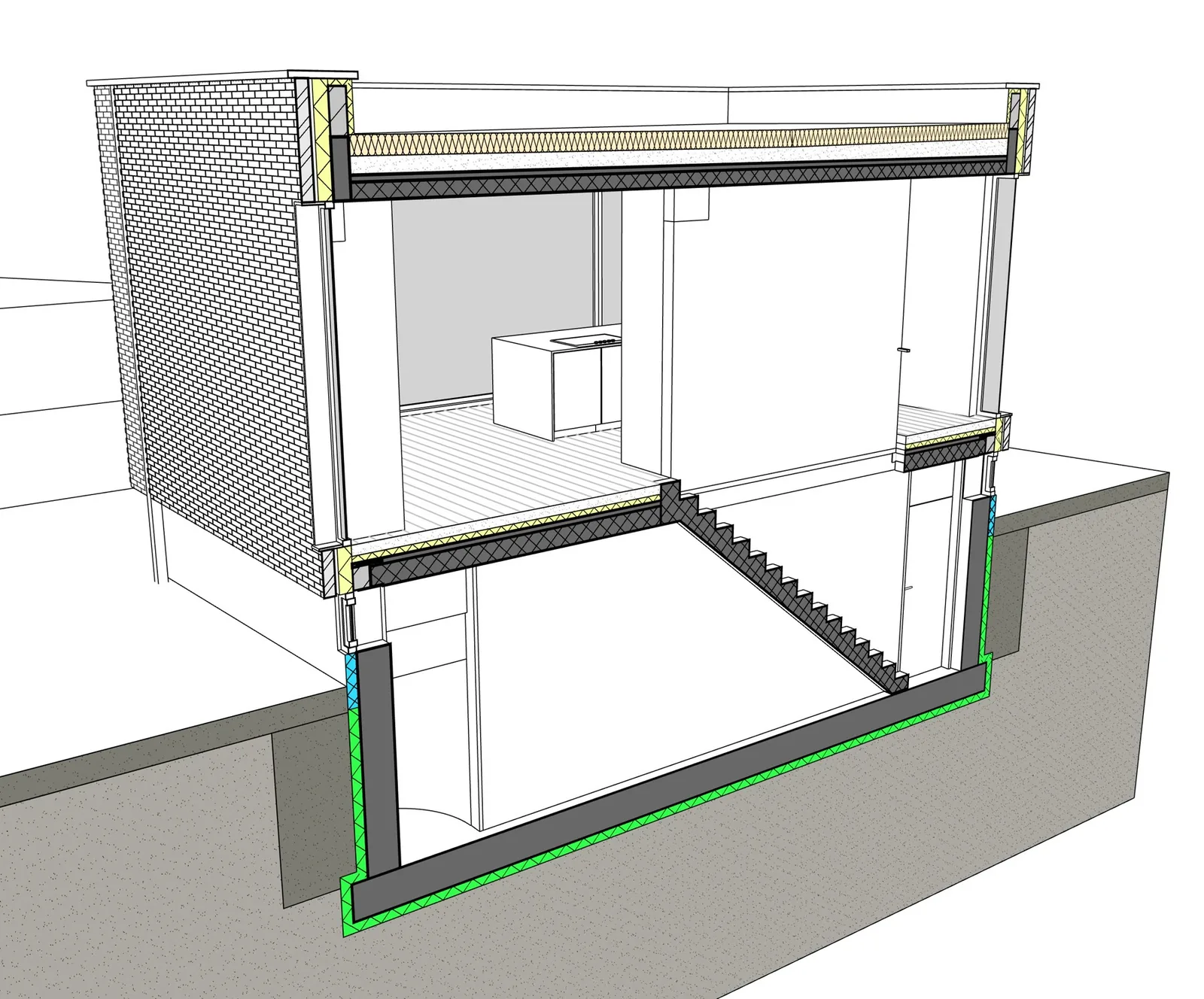
From a SketchUp model to a drawing with sections
Skalp organises the views of the model, adds hatching and lineweights to the sections and takes the drawing to LayOut or to a CAD file.
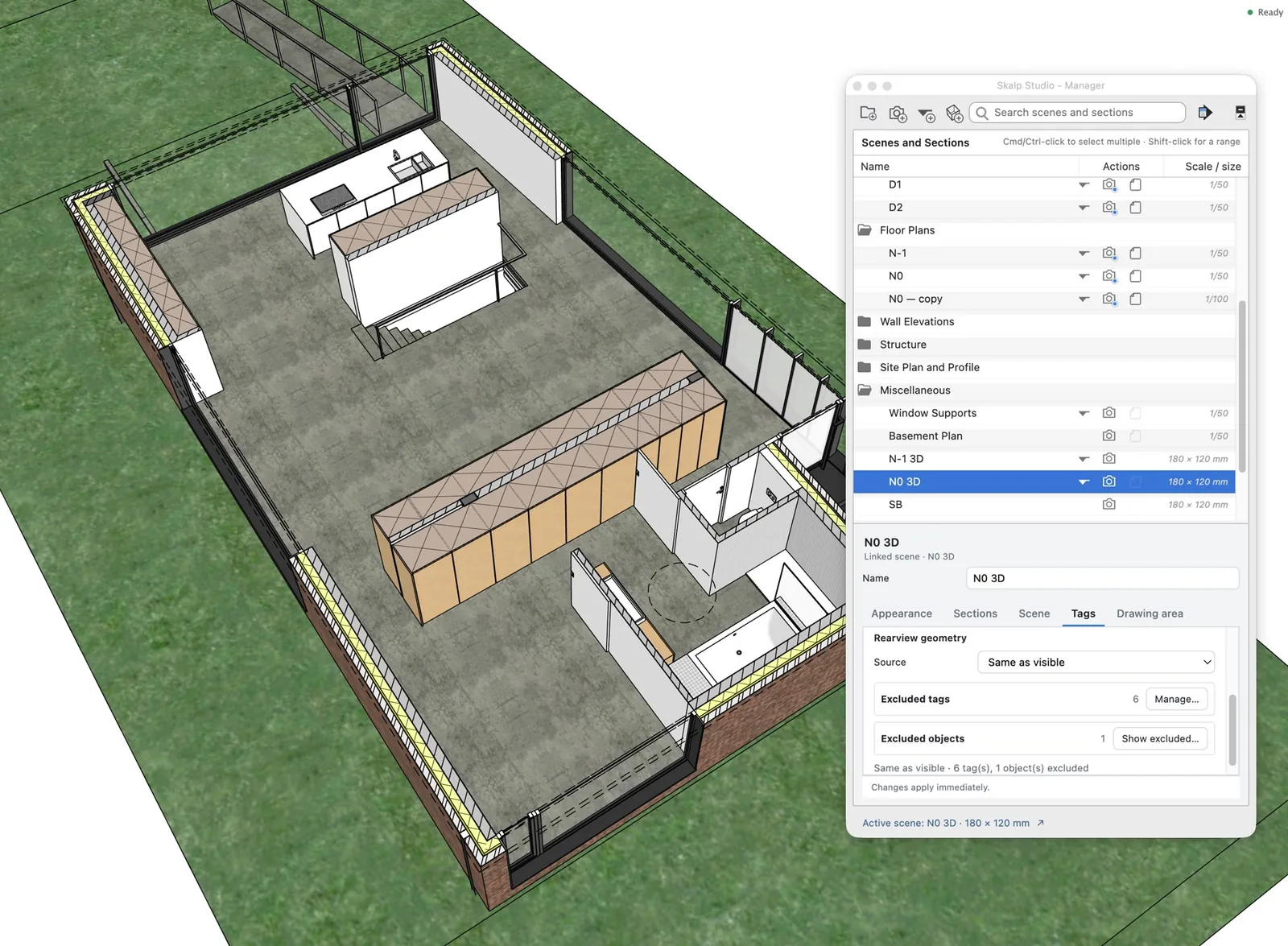
Scenes, sections and ClipBoxes in one window
The Skalp Manager gathers the views of the project, so you can quickly find the section you need together with its scale and settings.
- Folders and search for scenes and sections
- Main and nested sections in the same model
- A ClipBox to isolate one part of a complex building
- Saved tag visibility setups that can be reused across many scenes


Working directly on the section plane
You paint, select and move the section where you see the result, without hunting for the object inside the model.
- One click on the hatch gives a section material to the object, its tag or its material
- Clicking inside a hatch selects the group or component that was cut
- A slider that moves the section plane without recreating it
- Solid tools (Union, Subtract, Trim, Split and others) that keep material and tag on the right solid


Libraries of section and surface materials
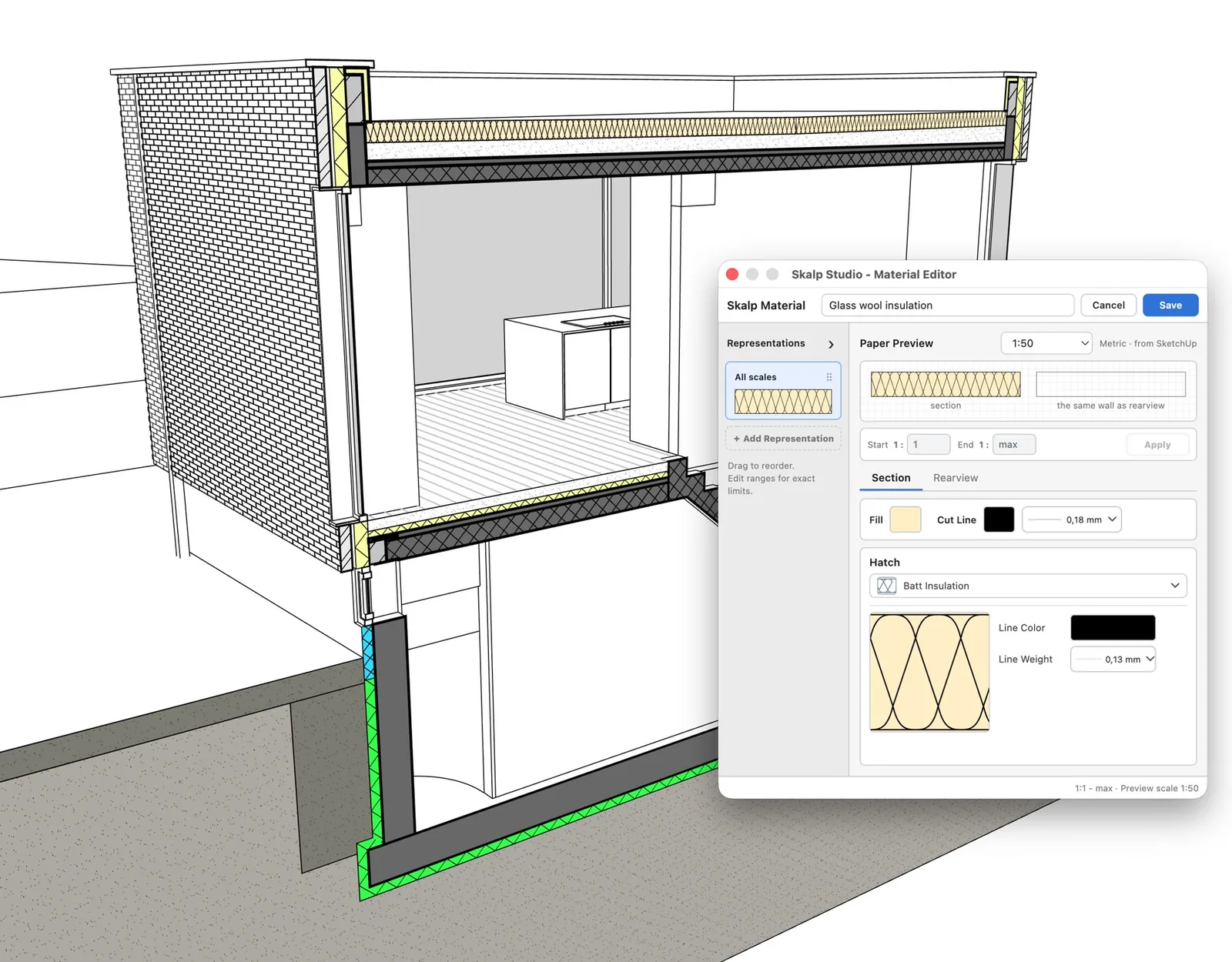
Each material defines fill, hatch and pens, and you reuse it across the project or in a shared office library.
- Separate materials for the cut and for the visible faces
- Material assignment by object, by tag or by SketchUp material
- Parametric patterns such as brick, tiles, timber and insulation
- A library of PAT files, import of your own patterns and a simple PAT editor
Works with: PAT


Lineweights, rearview lines and scales
The model gains the graphic hierarchy of an architectural drawing, with settings kept per scene.
- Adjustable line widths and colours for elements that are cut
- Lines for what lies beyond the section, with a depth limit
- A scale per scene and material display that changes with the scale
- Hatching on visible faces too, not only in the cut


Dimensions, text and symbols inside SketchUp
On the section drawing you add 2D elements and synchronise them with LayOut when you ask for it.
- Lines, arcs and polygons with offset, trim, extend, fillet and chamfer
- Linear and chained dimensions, text and labels
- Area measurements, levels and symbols from LayOut scrapbooks
- Definition of the drawing area, the dimension zone and the section-mark zone
Works with: LayOut


To LayOut, PDF and CAD files
The drawings you prepared move to LayOut sheets or leave as files for partners who work in CAD.
- Sending drawings from SketchUp to LayOut and updating those already placed
- Sheets with different paper sizes in the same LayOut file
- A separate PDF for each sheet, with a pattern in the file name
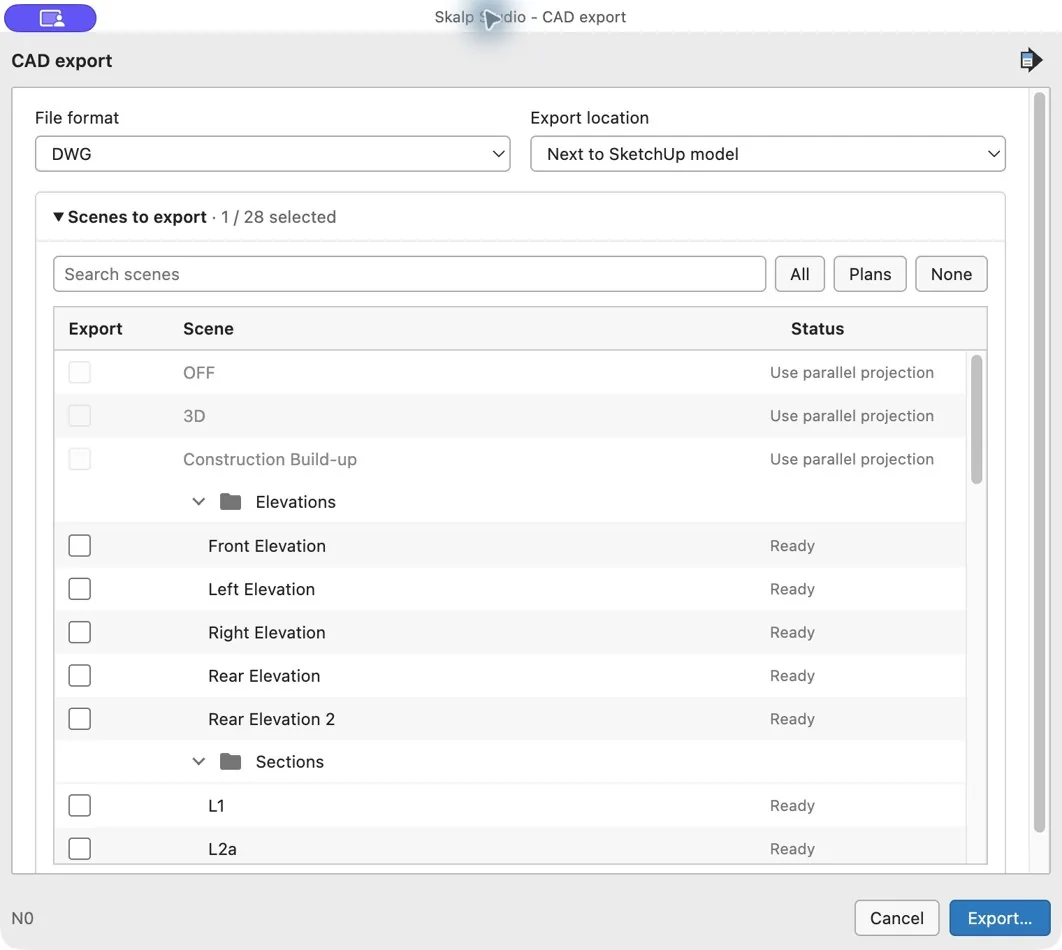
- Export of selected scenes to DWG and DXF with section lines, hatches and annotations
Works with: LayOut PDF DWG DXF


What it does, stage by stage
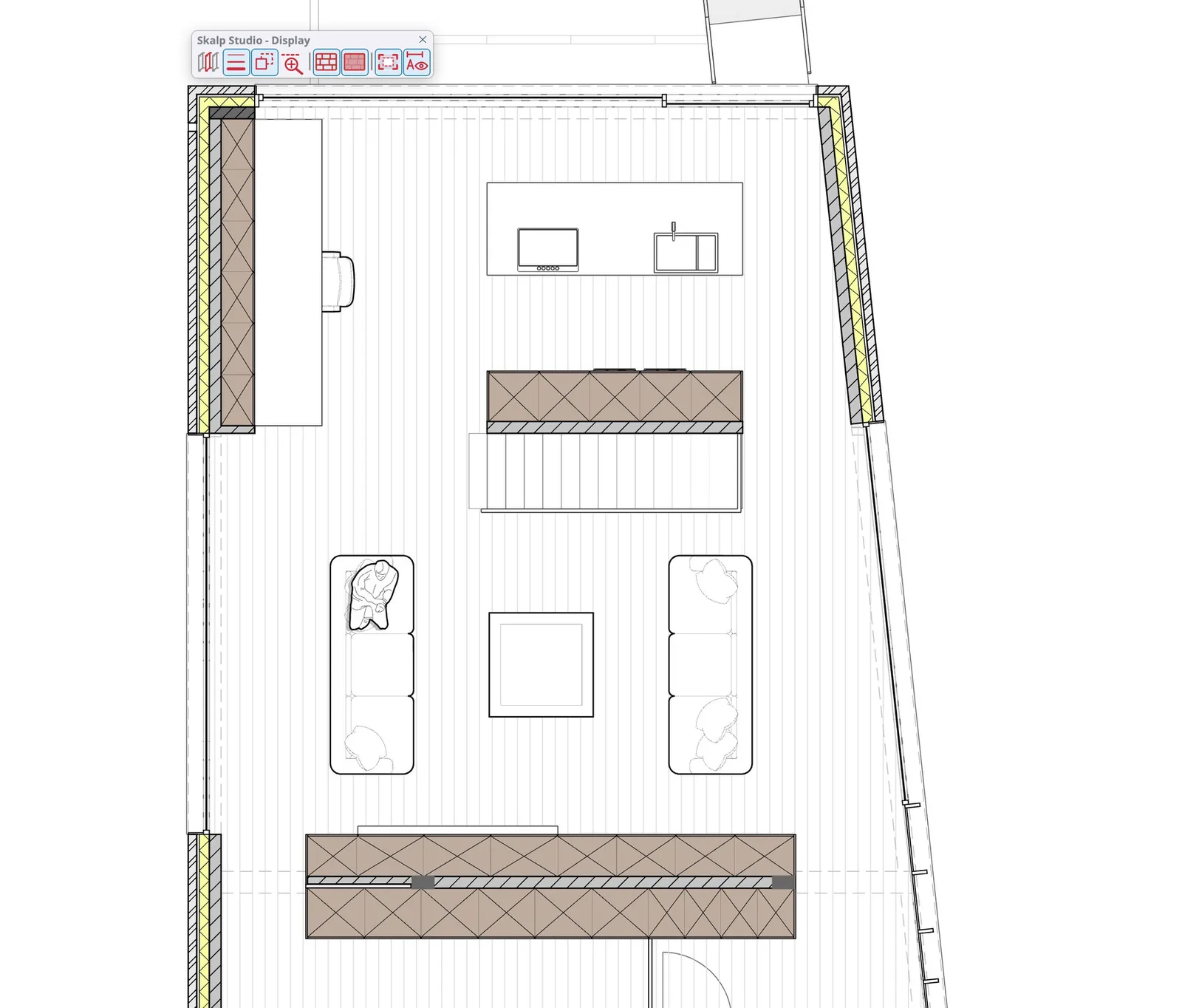
Skalp is an extension for SketchUp that turns the sections of the model into drawings with hatching, lineweights and lines for whatever lies behind the cut. Plans, sections and elevations come from the same 3D model, so a change in the model also shows in the drawing.
The Skalp Manager organises scenes, sections and ClipBoxes into folders. Section and surface materials define fill, hatch and pens, and are assigned by object, by tag or by SketchUp material, with a library of PAT files and the option to import your own patterns.
Drawings go to LayOut, come out as separate PDFs per sheet or are exported to DWG and DXF for partners who work in CAD. The current generation, Skalp Studio 2027, also adds 2D drawing with dimensions and text inside SketchUp.
Features and files
Features
- Type
- SketchUp extension (RBZ)
- Use
- Sections, hatching and drawings from the model
- SketchUp versions
- SketchUp 2027 (Skalp Studio 2027); a separate version for older SketchUp
- Operating system
- Windows 11 64-bit, macOS 15 or later with Apple silicon
- Export
- LayOut, PDF, DWG, DXF
- Trial
- 30 days
Opens and saves
- .skp
System requirements
- Skalp Studio 2027: SketchUp 2027 on Windows 11 (64-bit) or on macOS 15, 26 or 27 with an Apple silicon processor
- For older versions of SketchUp the manufacturer offers a separate version of Skalp
Works well with, and alternatives
Works well with



Skalp for SketchUp next to alternatives
Open the full comparisonQuestions, licence and delivery
Is LayOut required?
Not for sections and hatching inside SketchUp. LayOut is useful when you want to set up drawing sheets; alternatively you can export DWG or DXF.
Does it work with an older SketchUp?
Skalp Studio 2027 is for SketchUp 2027. For older versions the manufacturer offers a separate version of Skalp.
Can I try it before buying?
Yes, the manufacturer offers a 30-day trial.
How do I receive the licence?
After payment we order the licence from the manufacturer and email you its details.
Do the prices include VAT?
Prices exclude VAT. With a valid VAT number from another EU country, VAT is not charged; in Belgium it is charged at 21%. For private customers, VAT is calculated at checkout.